<?xml version="1.0" encoding="utf-8"?><feed xmlns="http://www.w3.org/2005/Atom" xml:lang="en"><generator uri="https://jekyllrb.com/" version="4.4.1">Jekyll</generator><link href="https://brendanhaines.com/feed.xml" rel="self" type="application/atom+xml" /><link href="https://brendanhaines.com/" rel="alternate" type="text/html" hreflang="en" /><updated>2026-03-29T02:49:09-06:00</updated><id>https://brendanhaines.com/feed.xml</id><title type="html">Brendan Haines</title><subtitle>Documenting and exhibiting side projects</subtitle><entry><title type="html">Traveling Southeast Asia</title><link href="https://brendanhaines.com/2026/03/23/asia_trip" rel="alternate" type="text/html" title="Traveling Southeast Asia" /><published>2026-03-23T12:00:00-06:00</published><updated>2026-03-23T12:00:00-06:00</updated><id>https://brendanhaines.com/2026/03/23/asia_trip</id><content type="html" xml:base="https://brendanhaines.com/2026/03/23/asia_trip"><![CDATA[<p>I’m on sabbatical and departing for Thailand and to explore Southeast Asia for a few months solo!</p>

<p>I will try to give updates here but we’ll see how that goes.</p>

<!--more-->

<p>By now it should be evident that I’m really bad about updating this website and I’m equally absent on social media but I’d like an easy way to give all my friends and family ongoing updates and proof of life.</p>

<p>I was recently introduced to <a href="https://www.polarsteps.com/">polarsteps</a> and will be trying that out. It’s a free (as in beer) travel documentation tool which is funded through optional purchase of physical travel books so I don’t think I’m the product like with most free services. Check out my <a href="https://www.polarsteps.com/BrendanHaines/24840483-a-new-adventure?s=720f808f-c34d-4dd2-a706-5eaa43916be7&amp;share_trip_link_variant=CONTROL">trip</a> on polarsteps.</p>

<iframe width="640" height="480" src="https://www.polarsteps.com/BrendanHaines/24840483-a-new-adventure/embed"></iframe>

<p>I’m thinking I’ll probably post some periodic updates on Instagram too but only time will tell if that actually happens.</p>]]></content><author><name></name></author><category term="Travel" /><summary type="html"><![CDATA[I’m on sabbatical and departing for Thailand and to explore Southeast Asia for a few months solo! I will try to give updates here but we’ll see how that goes.]]></summary></entry><entry><title type="html">Adventures with GPIB</title><link href="https://brendanhaines.com/2024/12/01/gpib_adventures" rel="alternate" type="text/html" title="Adventures with GPIB" /><published>2024-12-01T15:00:00-07:00</published><updated>2024-12-01T15:00:00-07:00</updated><id>https://brendanhaines.com/2024/12/01/gpib_adventures</id><content type="html" xml:base="https://brendanhaines.com/2024/12/01/gpib_adventures"><![CDATA[<p>I needed to automate some old GPIB instruments but ran into issues with GPIB adapters. This post mostly serves to document the modifications I made and as a reference for how to connect.</p>

<!--more-->

<p>I started out with a (knockoff) Agilent 82357B USB to GPIB adapter. I was able to get my power meter to respond to a GPIB query exactly <em>once</em> but never again. After fighting with <code class="language-plaintext highlighter-rouge">linux-gpib</code> configuration on and off, I got fed up and bought an Agilent E5810A Ethernet to GPIB adapter. I had no problems communicating with my power meter immedately after power everything on.</p>

<p>I’m using <a href="https://pyvisa.readthedocs.io/en/master/">PyVISA</a> with the <code class="language-plaintext highlighter-rouge">pyvisa-py</code> backend. I’ve now begun writing python device drivers to simplify scripting this and other test equipment.</p>

<div class="language-python highlighter-rouge"><div class="highlight"><pre class="highlight"><code><span class="kn">import</span> <span class="n">visa</span>
<span class="n">rm</span> <span class="o">=</span> <span class="n">visa</span><span class="p">.</span><span class="nc">ResourceManager</span><span class="p">(</span><span class="sh">'</span><span class="s">py</span><span class="sh">'</span><span class="p">)</span>

<span class="n">ip</span> <span class="o">=</span> <span class="sh">'</span><span class="s">169.254.58.10</span><span class="sh">'</span>
<span class="n">gpib_addr</span> <span class="o">=</span> <span class="mi">13</span>
<span class="n">inst</span> <span class="o">=</span> <span class="n">rm</span><span class="p">.</span><span class="nf">open_resource</span><span class="p">(</span><span class="sa">f</span><span class="sh">'</span><span class="s">TCPIP::</span><span class="si">{</span><span class="n">ip</span><span class="si">}</span><span class="s">::gpib0,</span><span class="si">{</span><span class="n">gpib_addr</span><span class="si">}</span><span class="s">::INSTR</span><span class="sh">'</span><span class="p">)</span>
</code></pre></div></div>

<h2 id="backlight">Backlight</h2>

<p>Since this originally lived in my bedroom back in college I wanted to disable the backlight which is always on.
This is extremely easy by removing (or disconnecting one end of) two unlabeled resistors next to P102:</p>

<table>
  <tbody>
    <tr>
      <td><img src="/assets/gpib-adapter/e5810a_internals.jpg" alt="Adapter Internals" /></td>
      <td><img src="/assets/gpib-adapter/e5810a_pcb.jpg" alt="PCB Modification" /></td>
    </tr>
  </tbody>
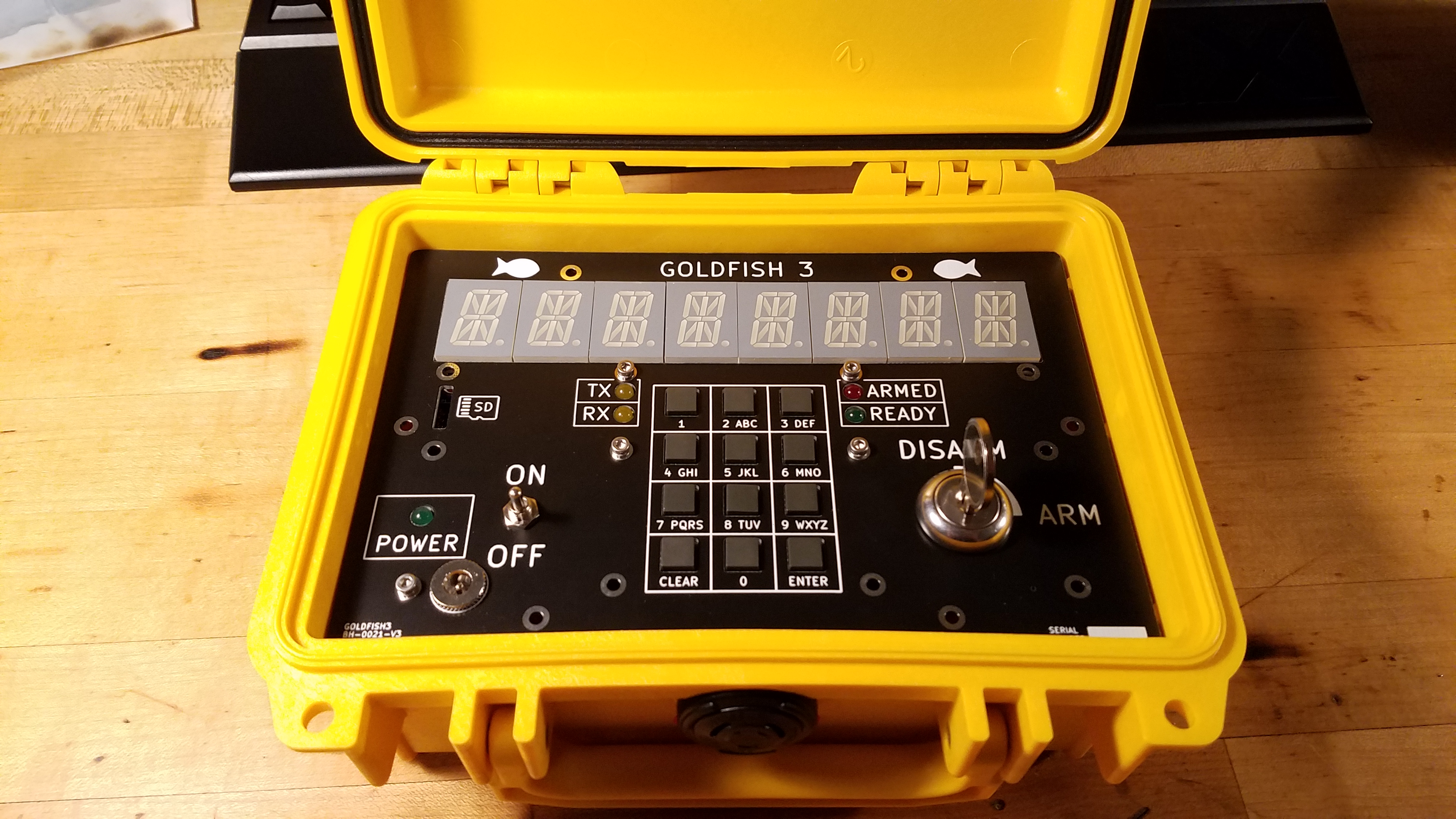
</table>]]></content><author><name></name></author><category term="Testing" /><summary type="html"><![CDATA[I needed to automate some old GPIB instruments but ran into issues with GPIB adapters. This post mostly serves to document the modifications I made and as a reference for how to connect.]]></summary></entry><entry><title type="html">Goldfish: Wireless Rocket Igniter</title><link href="https://brendanhaines.com/2023/03/18/goldfish3" rel="alternate" type="text/html" title="Goldfish: Wireless Rocket Igniter" /><published>2023-03-18T12:00:00-06:00</published><updated>2023-03-18T12:00:00-06:00</updated><id>https://brendanhaines.com/2023/03/18/goldfish3</id><content type="html" xml:base="https://brendanhaines.com/2023/03/18/goldfish3"><![CDATA[<p>As a project sponsored by CU’s rocketry club, COBRA (now <a href="https://cusrl.com/">CUSRL</a>), I designed and built a wireless ignition system for high power rockets. When launching to over ten thousand feet, rockets get large enough that we need thousands of feet of standoff distance for safety. Rather than carry a large spool of wire, we decided to look into wireless ignition systems.</p>

<p><img src="/assets/goldfish3/goldfish3_assembled.jpg" alt="Goldfish3" /></p>

<!--more-->

<p><strong><em>Due to the nature of rocketry I feel the need to be explicit about liability. This is not a finished product and I don’t guarantee reliability or safety if you copy it. You take full responsibility for everything you make. Please don’t blow yourself up.</em></strong></p>

<h2 id="you-know-what-would-be-cool">You Know What Would Be Cool…</h2>
<p>The concept of a wireless igniter for model rockets was born in my college dorm room.</p>

<p>It all boiled down to a few basic objectives:</p>
<ul>
  <li>Never launch unless commanded</li>
  <li>Always launch when commanded or inform the user of errors</li>
  <li>Simple enough for safe operation by inexperienced users</li>
  <li>Legal to operate with a technician class amateur radio license</li>
</ul>

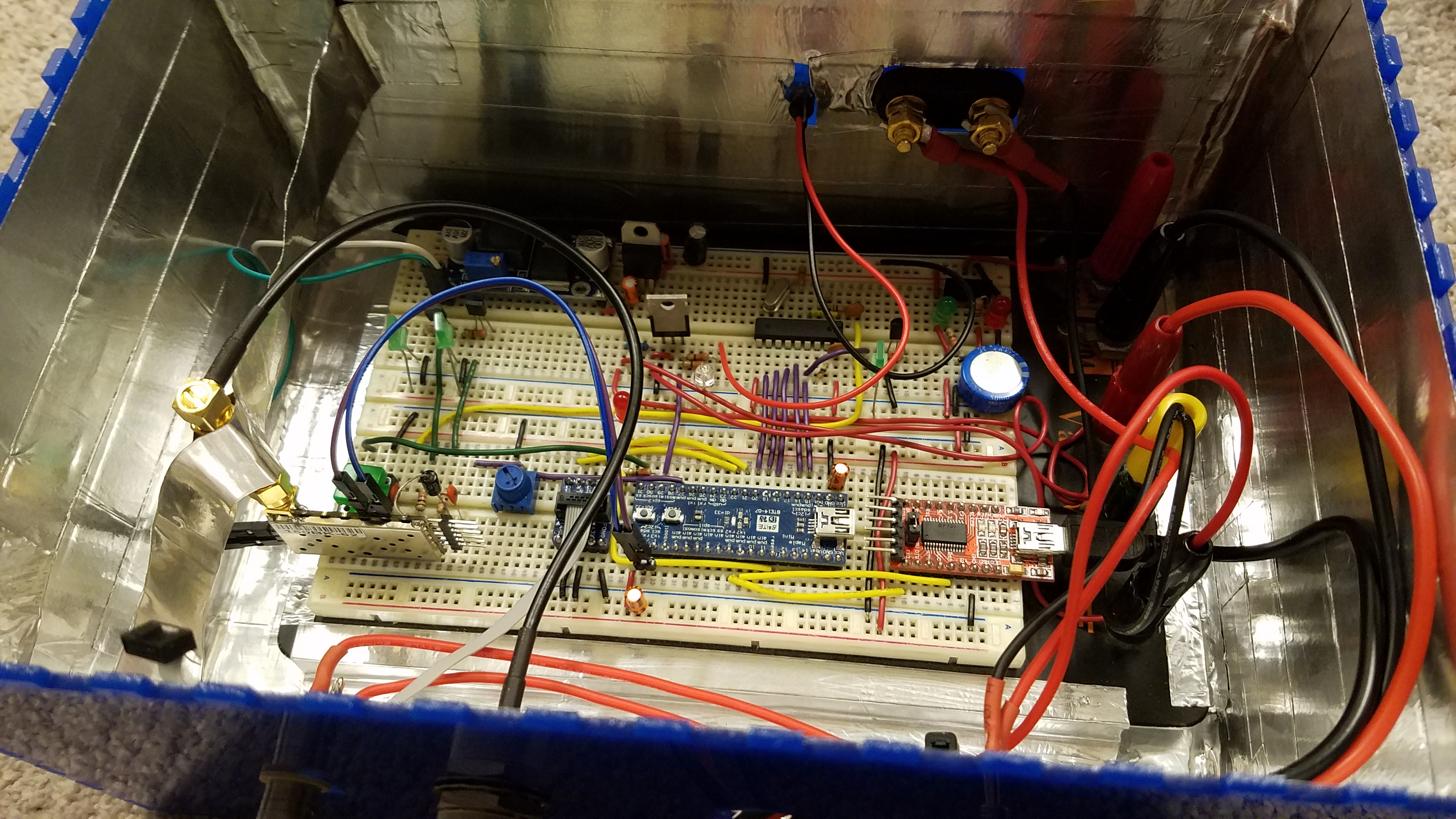
<p>Wanting to have something to show off as soon as possible, I built quick and dirty proof of concept with a breadboard and parts I had on hand.</p>

<p>That consisted of a STM32 development board, an off the shelf UHF FM radio module, and a DTMF decoder IC with the antenna from a handheld radio and an external car battery.</p>

<p>If you don’t know about DTMF, they’re the tones you hear when you press numbers on a telephone. Each number consists of two tones, one indicating the column and one the row on the number pad.</p>

<p><img src="/assets/goldfish3/goldfish1_breadboard.jpg" alt="Goldfish1 Internals" />
Yes, that is aluminum tape holding the radio module in place so it wouldn’t fall out of the breadboard. No I didn’t have anything better at the time.</p>

<p>It wasn’t hard to get this working very rudimentarily, though there were some serious flaws.</p>

<p>For one thing, I intentionally ignored power on/off tranients because I just wanted a proof of concept for myself.
Especially combined with the external battery and janky aligator clips, I had concerns about any sort of power event with an igniter connected causing accidental launches. I could keep myself safe by only connecting the igniter once power was applied and configuration loaded but it certainly wasn’t stupid-proof.</p>

<p>The other primary flaw was the user interface.
To launch the rocket, all you had to do was type a launch code into a handheld radio while transmitting.
A series of tones would be sent back from the igniter to indicate the message was received and report any errors.
This is all fine but the bad part was configuration.
I made the launch code, frequency, and callsign configurable at power-on using a laptop over USB.
In retrospect it might have been better to hard-code these values and avoid the need to have a laptop in the middle of a muddy field when you’re just trying to light some propellent on fire.
<!-- ![Baofeng UV-5R](/assets/goldfish3/uv-5r.jpg) --></p>

<p>Also, I didn’t have any large power resistors and didn’t want to make anything more complex so this design had absolutely no current limiting on the output.
I only blew one or two FETs by driving into a hard short. Thankfully the resistance of an e-match is high enough that it could survive normal use.</p>

<h2 id="the-box-that-smiles-back">The Box That Smiles Back</h2>
<p>No, I’m not sponsored by Pepperidge Farm.</p>

<p>I needed an enclosure for this pile of wires but where could I possibly find something at 10:00 PM in a college dorm?
The only rational answer was my to take the empty Goldfish box from my roommate’s desk.
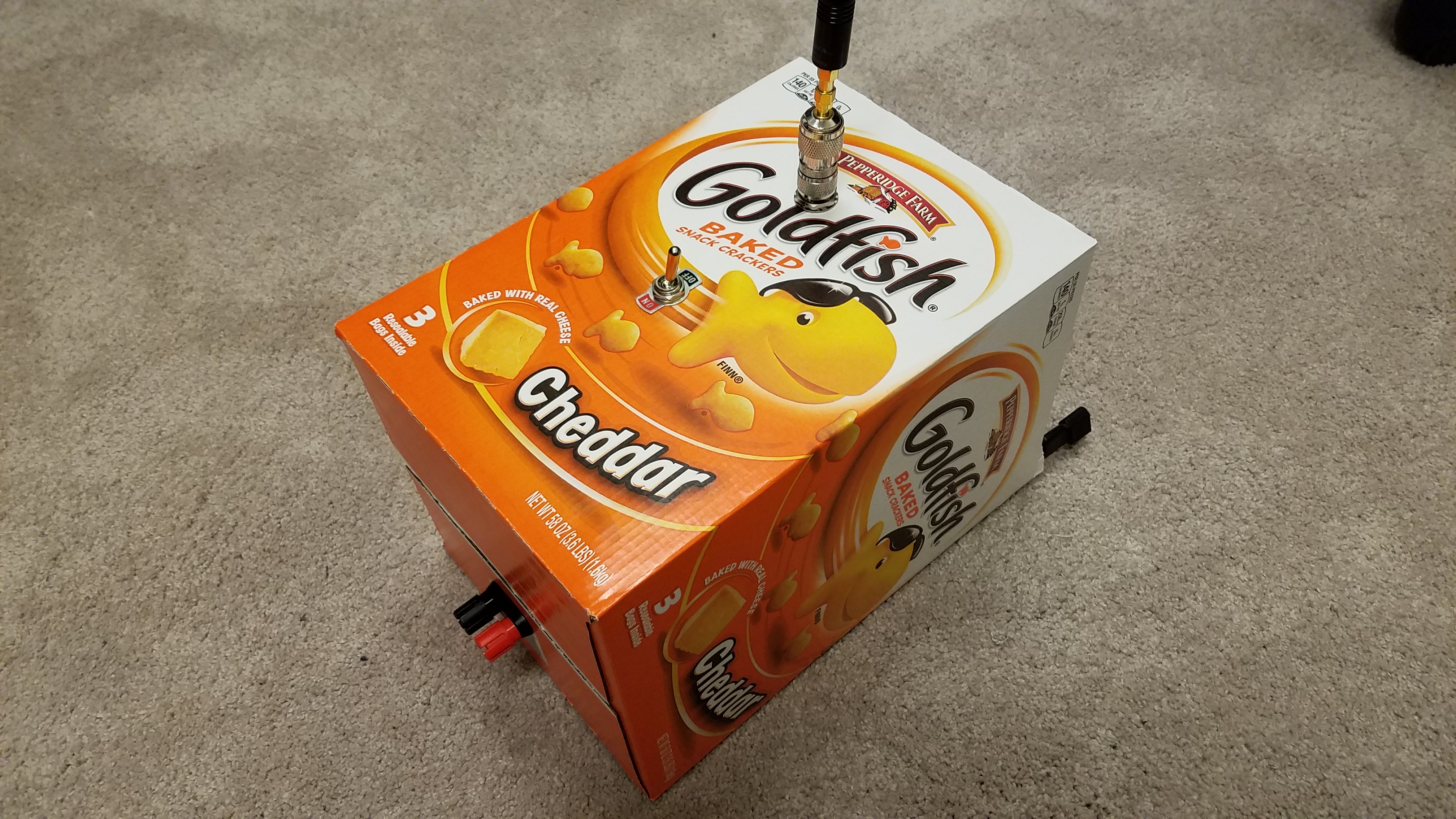
<img src="/assets/goldfish3/goldfish1_cardboard.jpg" alt="Goldfish1 Cardboard Box" />
Five minutes and a pair of scissors certainly turned a piece of trash into the flimiest enclosure I’ve ever made.</p>

<h2 id="goldfish-2">Goldfish 2</h2>
<p>Given the flammability of cardboard we switched to a laser-cut acryllic box pretty quickly but the name stuck (and so did the front of the box).
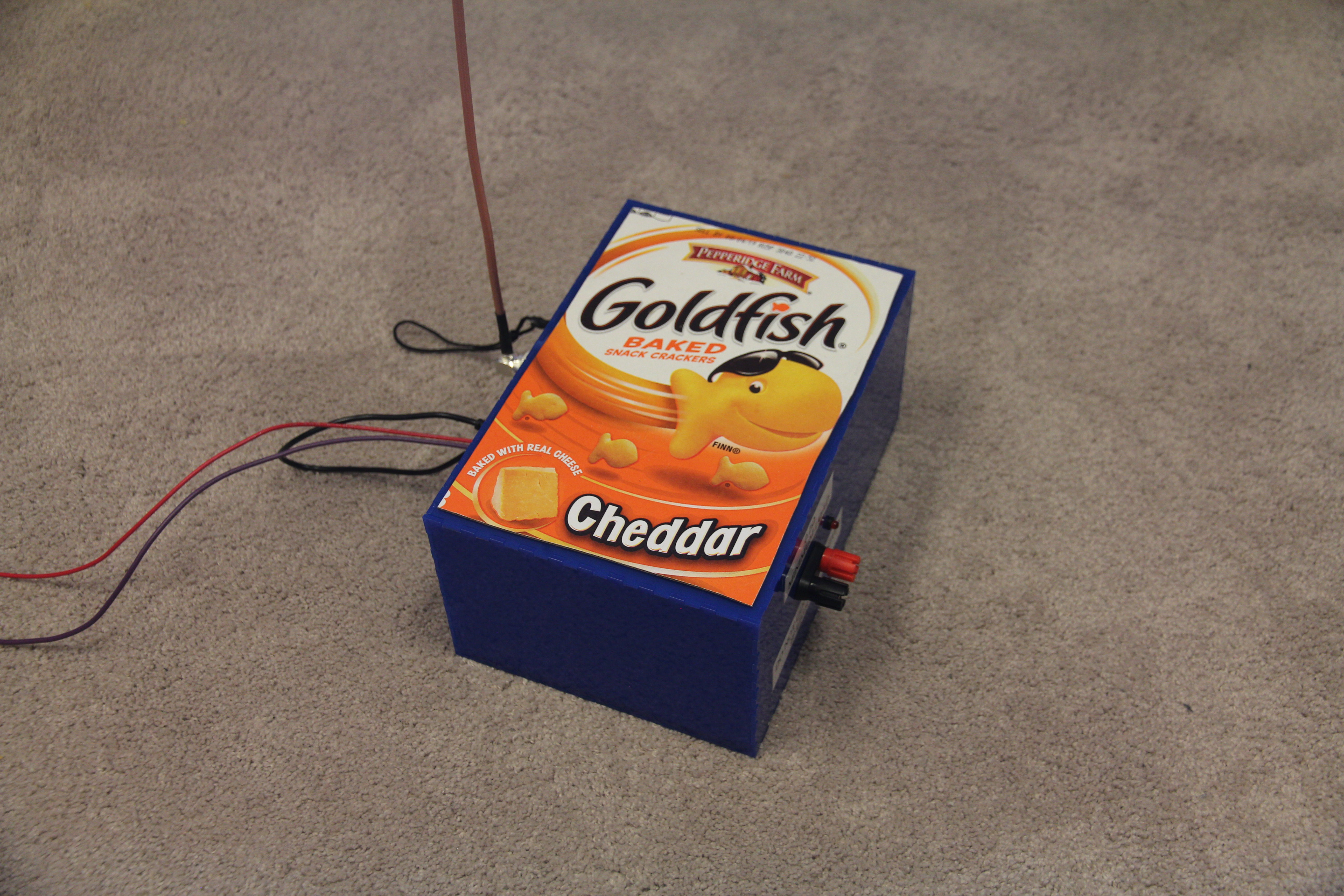
<img src="/assets/goldfish3/goldfish2_complete.jpg" alt="Goldfish2 Enclosure" /></p>

<p>I was also concerned about someone dropping or shaking the box and breaking the electronics so copied it over to a perf-board once I had settled on a circuit.
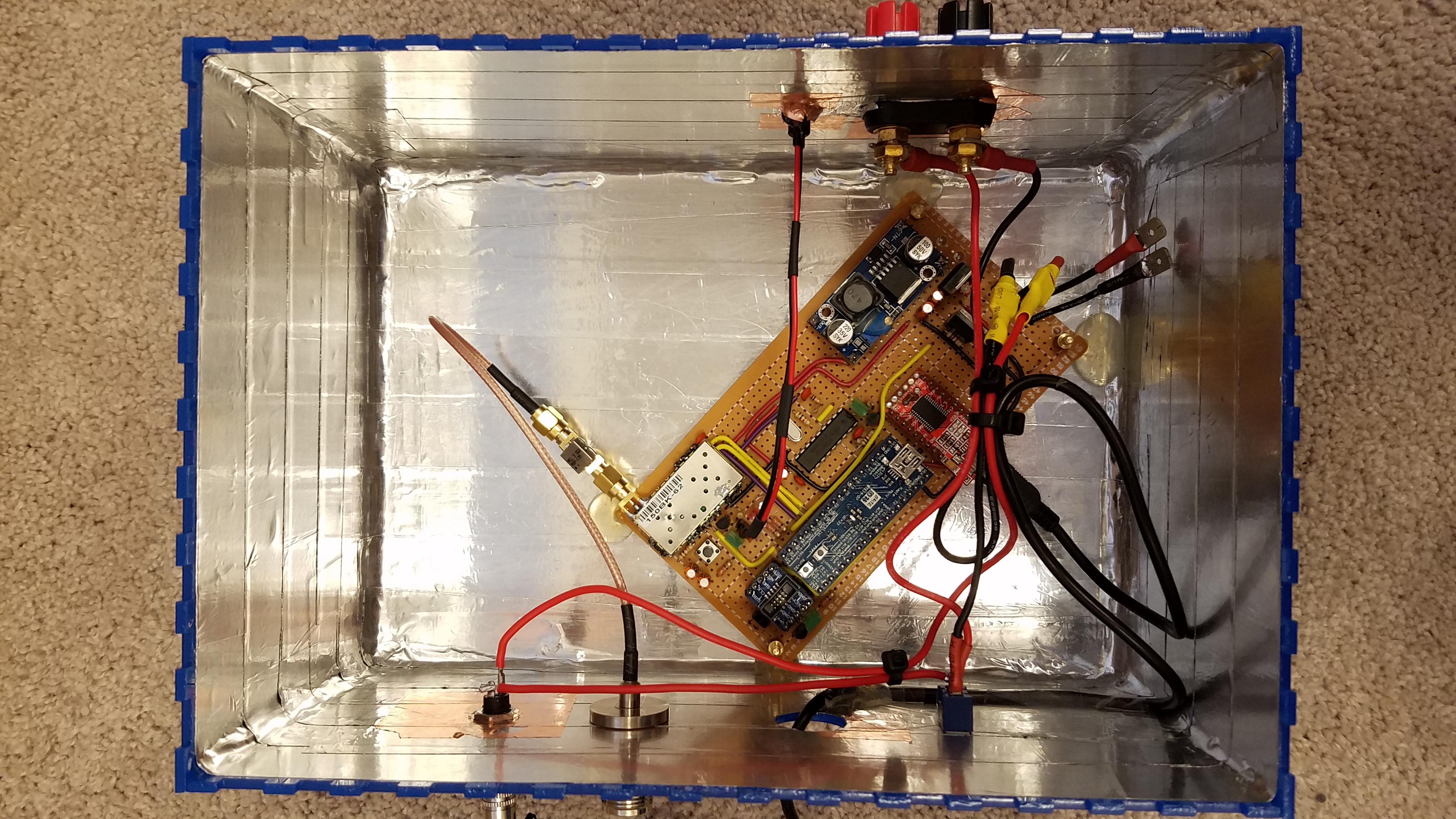
<img src="/assets/goldfish3/goldfish2_guts.jpg" alt="Goldfish2 Internals" /></p>

<p>None of this fixed the underlying issues mentioned above (nor was intended to) so I knew I would be making something better.</p>

<h2 id="goldfish-3">Goldfish 3</h2>
<p>Given that I ultimately wanted to make something I would be proud of and could use conveniently, it was time for a major redesign.</p>

<p>To eliminate the issues with power I had three strategies:</p>
<ol>
  <li>Internal battery to avoid momentary disconnects</li>
  <li>Mechanically isolate output during any power events</li>
  <li>Soft power switch so MCU can ensure things are safe during power events</li>
</ol>

<p>The first is self explanatory. Unfortunately I messed up my charging circuit (or didn’t finish debugging it, I don’t remember anymore) so had to remove the battery for charging. This wasn’t a big deal since everything was held together with machine screws but still obnoxious.</p>

<p>The second and third are more interesting. I added a key switch for arming which also physically disconnects the output. This, along with the soft power switch, gates power-on so turning on the power switch will never do anything unless the arming switch is disarmed (safe).</p>

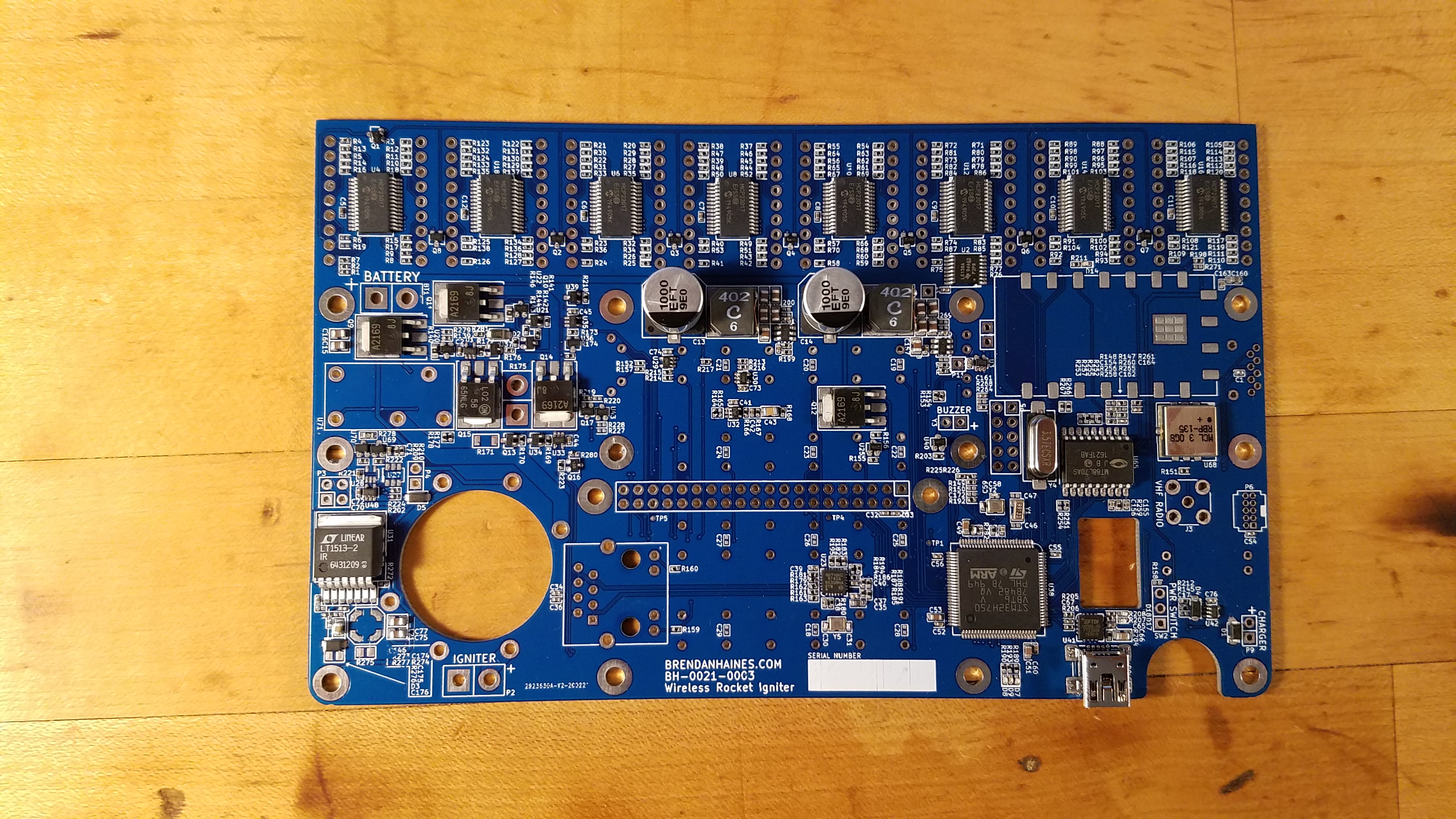
<p><img src="/assets/goldfish3/goldfish3_reflow.jpg" alt="Goldfish3 Internals" /></p>

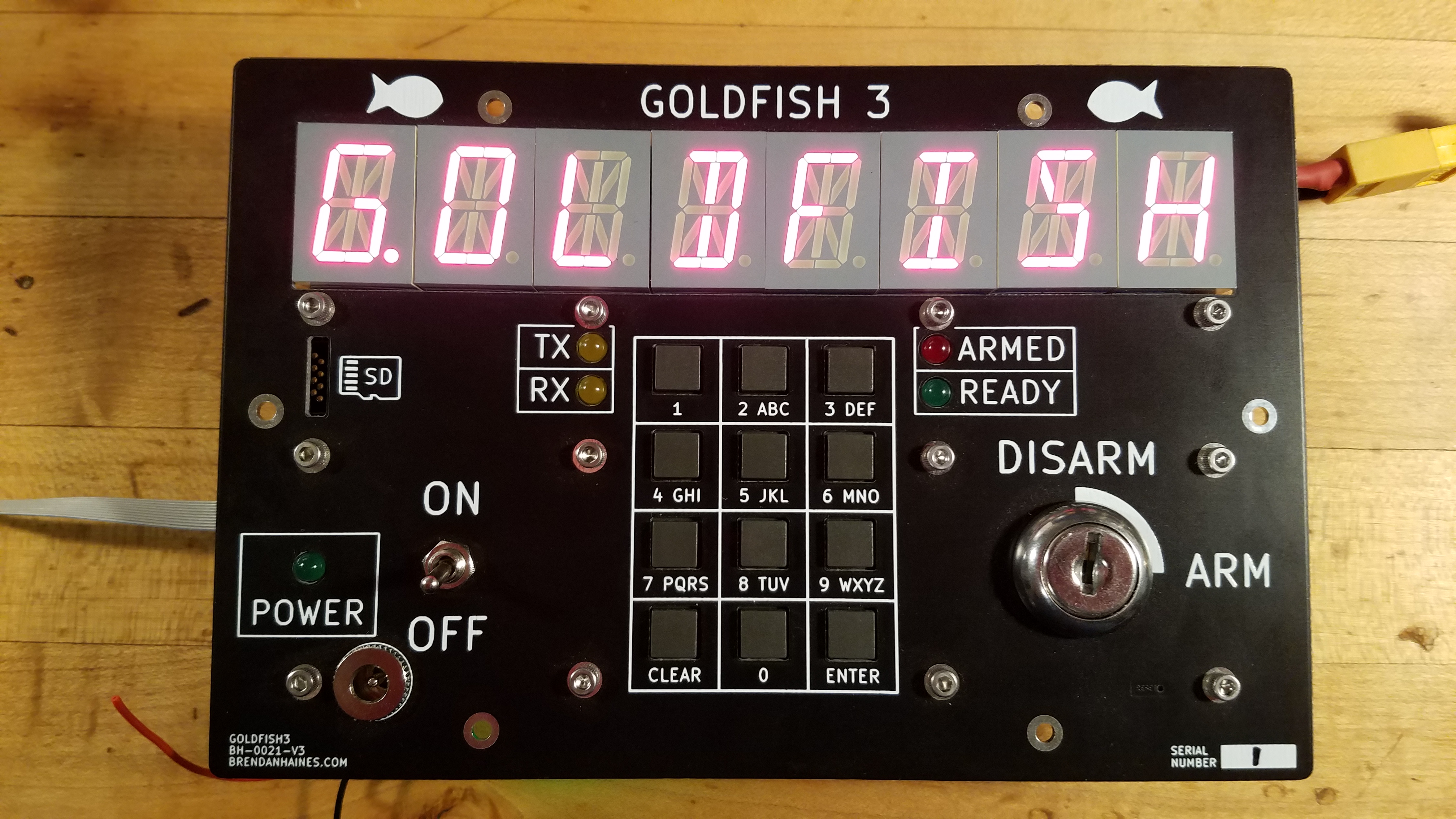
<p>As far as usability goes, I completely eliminated the terrible USB configuration and replaced it with a number pad and large LED segment display.</p>

<p><img src="/assets/goldfish3/goldfish3_powered.jpg" alt="Goldfish3 Powered" /></p>

<p>There are some other features on board including a Raspberry Pi for voice synthesis and ethernet to interface with any other sensors at the launchpad.
Neither of these were fully implemented since I moved on to other projects before getting around to them.</p>

<p>I wish I could show a video of Goldfish 3 in use but I appear to have lost the few videos I once had.</p>

<h2 id="resources">Resources</h2>
<ul>
  <li><a href="https://gitlab.com/brendanhaines/goldfish">GitLab</a> (This is quite a mess but I’m not going to clean it up at this point)</li>
</ul>

<p><em>I haven’t touched this project for about 4 years before writing but there’s no time like the present to document past projects. Unfortunately I didn’t take very many photos and no longer have access to the hardware so please excuse the lack of quality pictures.</em></p>]]></content><author><name></name></author><category term="Projects" /><summary type="html"><![CDATA[As a project sponsored by CU’s rocketry club, COBRA (now CUSRL), I designed and built a wireless ignition system for high power rockets. When launching to over ten thousand feet, rockets get large enough that we need thousands of feet of standoff distance for safety. Rather than carry a large spool of wire, we decided to look into wireless ignition systems.]]></summary></entry><entry><title type="html">Making A Knife</title><link href="https://brendanhaines.com/2017/08/25/knife" rel="alternate" type="text/html" title="Making A Knife" /><published>2017-08-25T14:00:00-06:00</published><updated>2017-08-25T14:00:00-06:00</updated><id>https://brendanhaines.com/2017/08/25/knife</id><content type="html" xml:base="https://brendanhaines.com/2017/08/25/knife"><![CDATA[<p>I’ve been wanting to make my own knives for a while now and decided it was time to just do it.
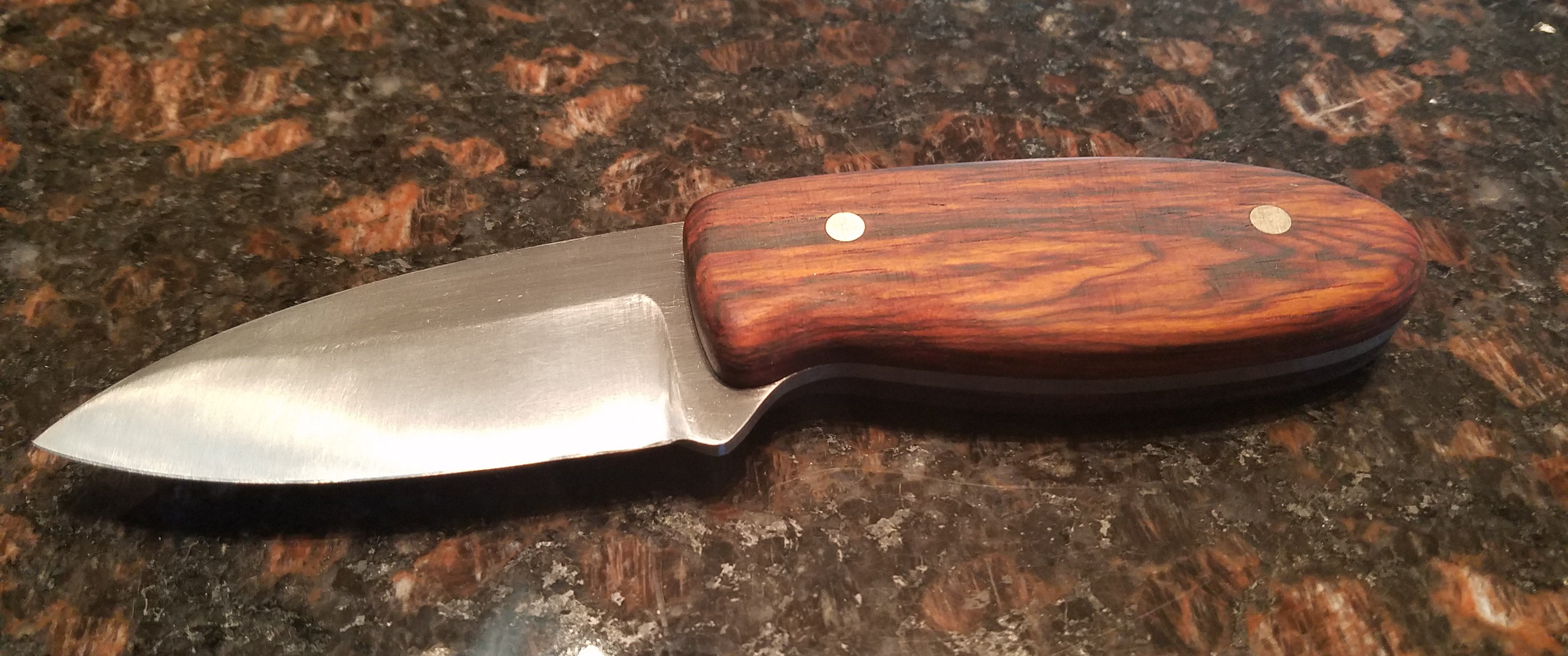
Here’s what the finished product looks like.</p>

<p><img src="/assets/first-knife/finished-2.jpg" alt="Finished Knife" /></p>

<!--more-->

<h2 id="design">Design</h2>

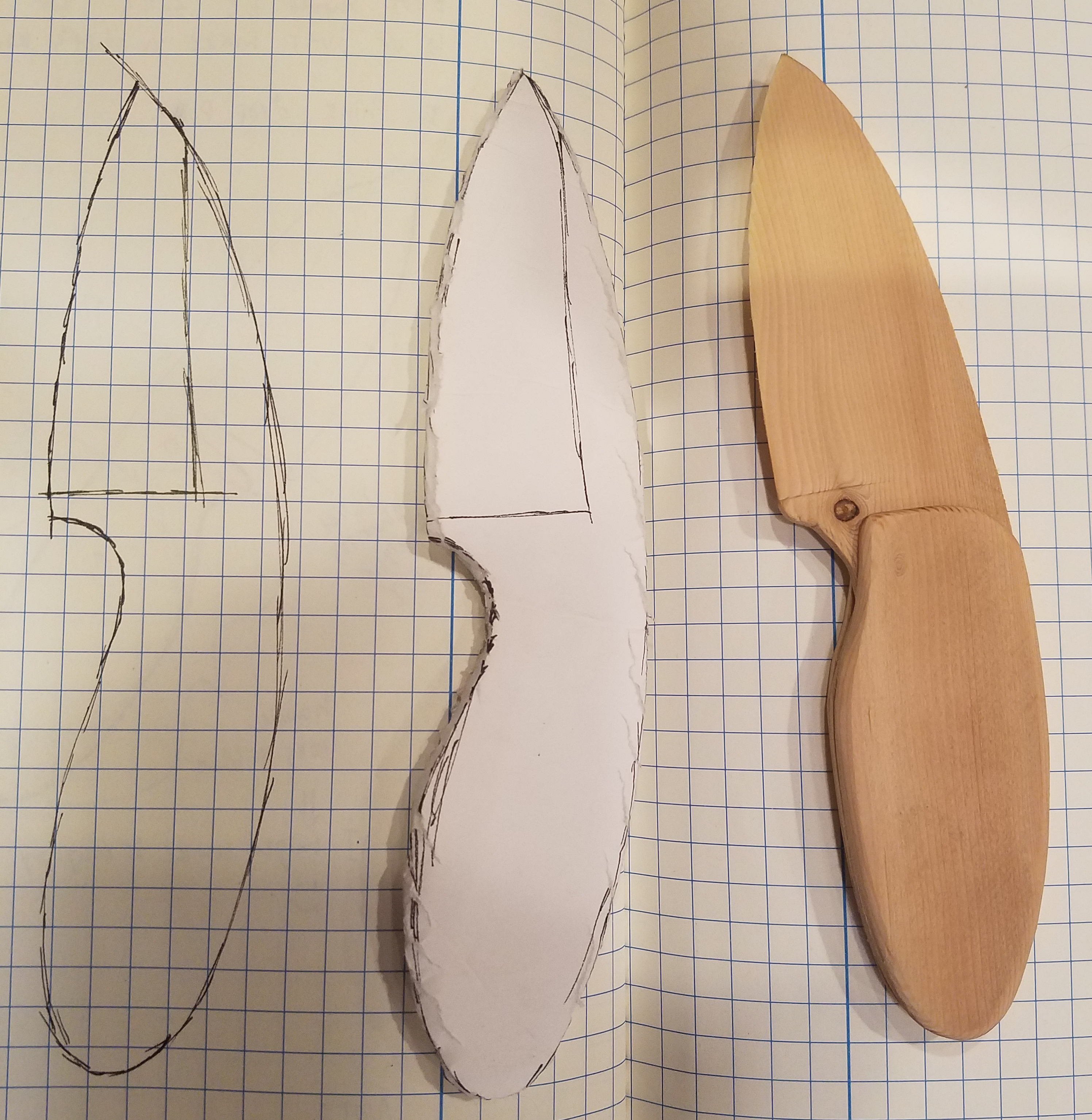
<p>I wasn’t sure what exactly I was looking to make so I just made some sketches that were asthetically pleasing to me.</p>

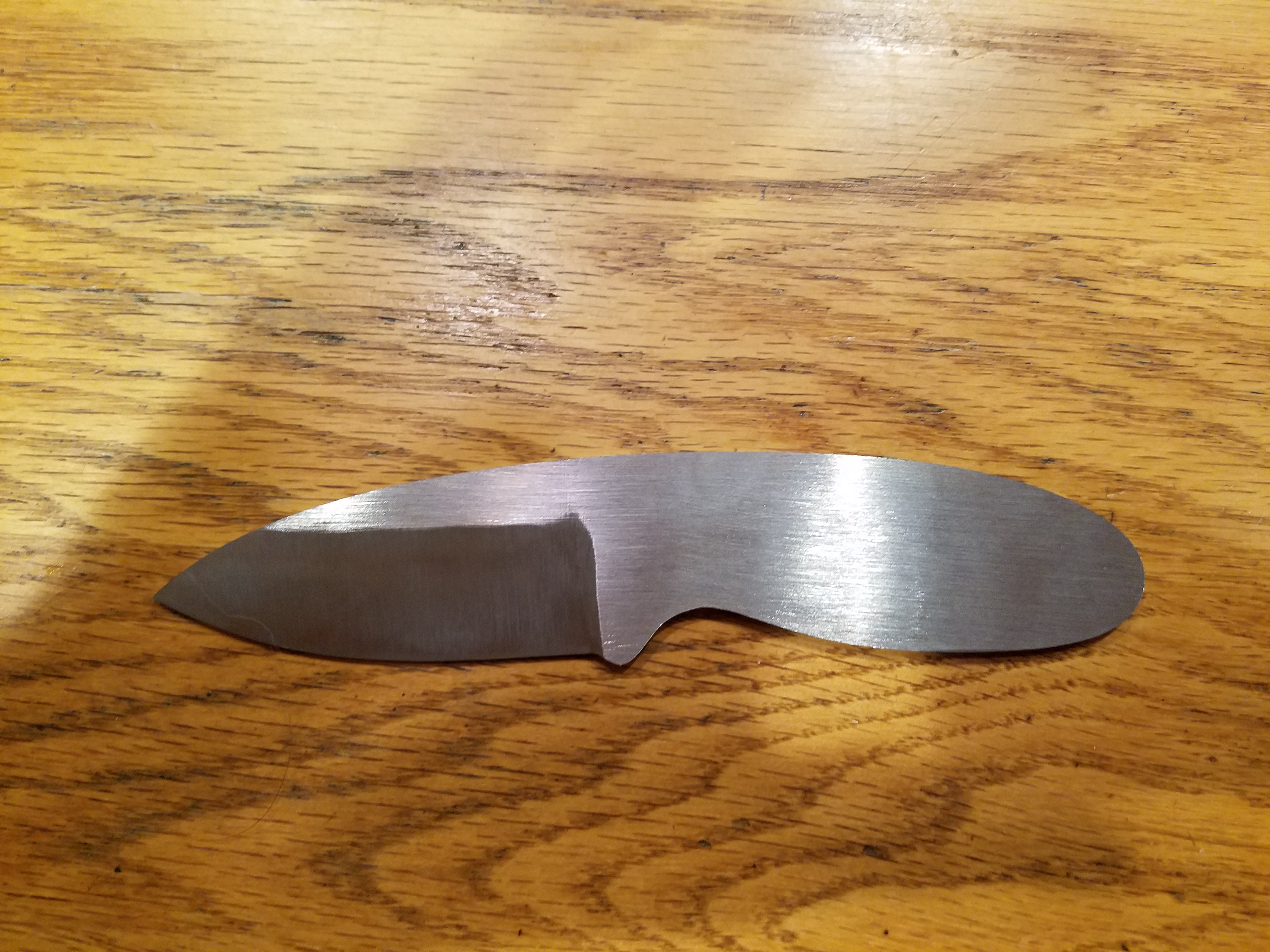
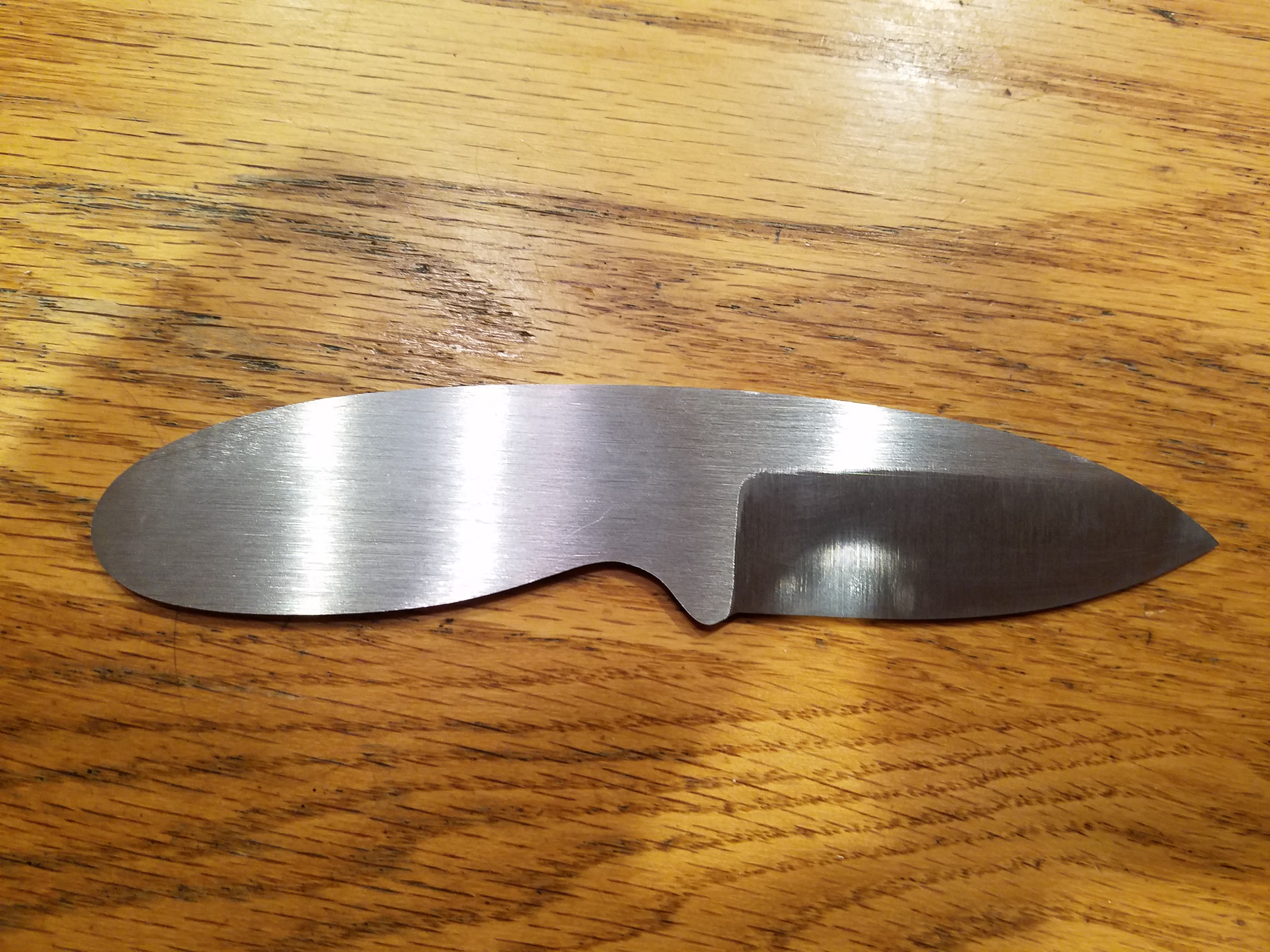
<p>I generally don’t like the look of knives that have a shorter blade than handle, but I also wanted to keep the blade under 3.5” (Colorado’s limit for concealed knives). The goal was for the handle to feel good in the hand while trimming its length significantly.</p>

<p><img src="/assets/first-knife/sketch-2.jpg" alt="Sketch" /></p>

<h2 id="the-blade">The Blade</h2>

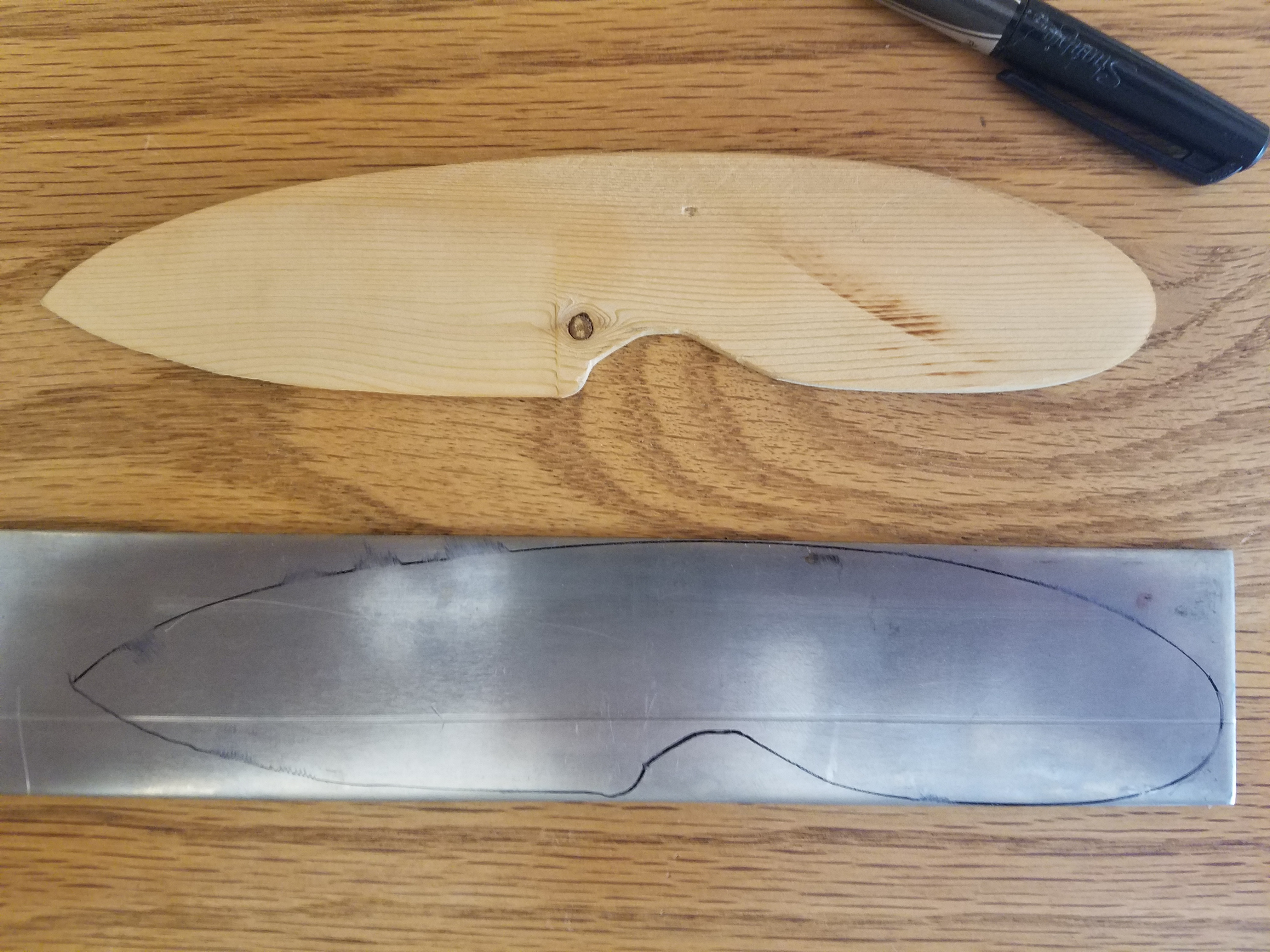
<p>Since I didn’t go into this with knifemaking experience, I wanted to work with a relatively forgiving steel. From a little research I found that 1075, 1095, and O1 steels are all pretty good for beginners and are oil quenchable. I settled on 1095 because I wanted better edge retention (over 1075) and didn’t know much about O1.</p>

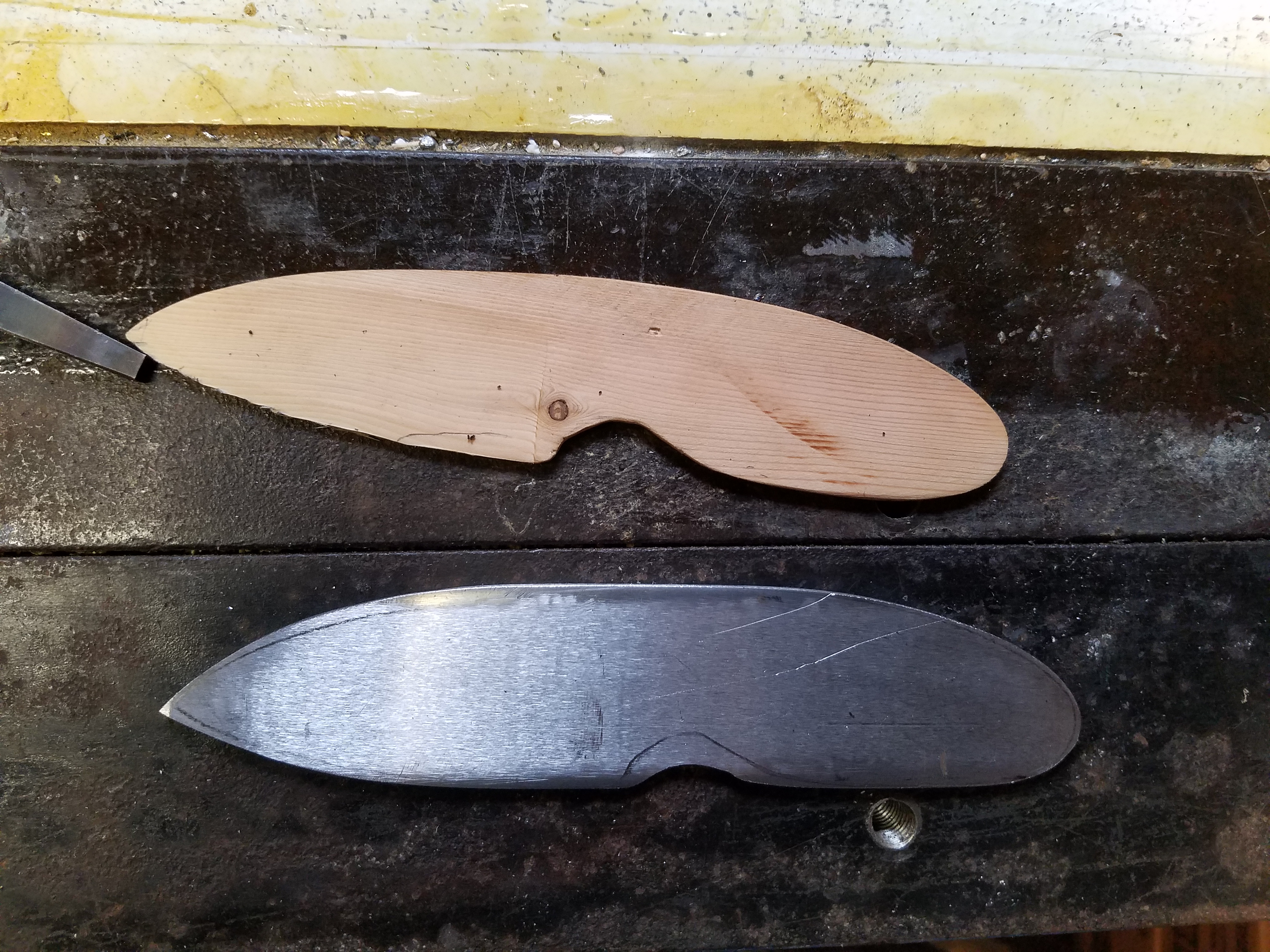
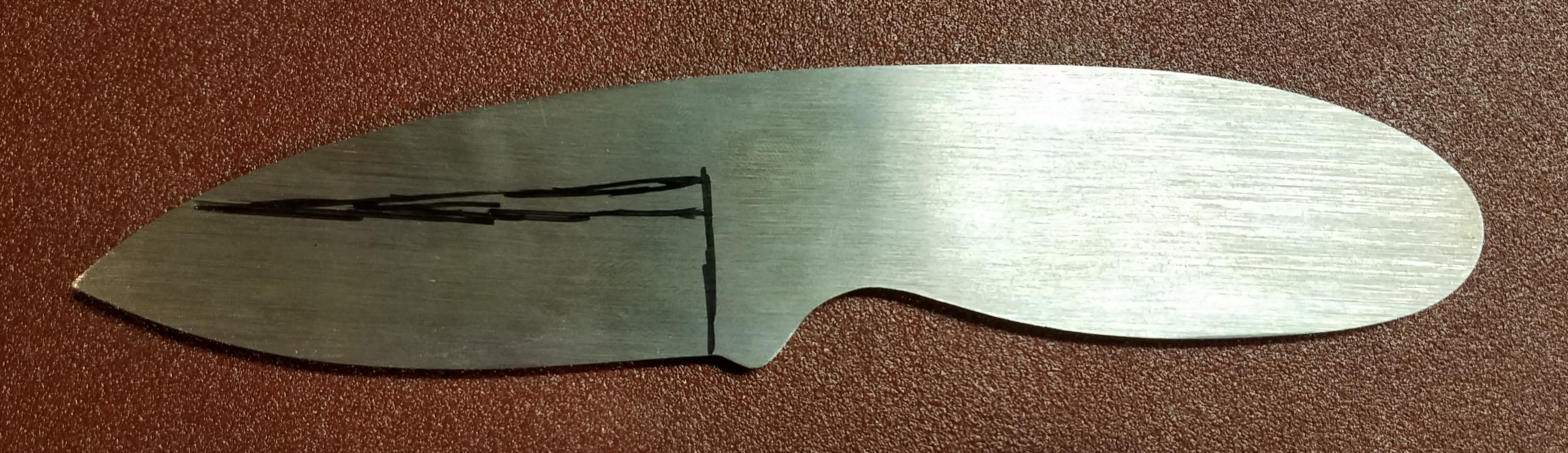
<p>Almost the entire blade was shaped with a 1x30” belt sander. Mine is from Harbor Freight. It’s not perfect but the price is right.</p>

<table>
  <tbody>
    <tr>
      <td><img src="/assets/first-knife/marked-steel.jpg" alt="Marked steel" /></td>
      <td><img src="/assets/first-knife/rough-blade.jpg" alt="Rough blade" /></td>
    </tr>
  </tbody>
</table>

<p><img src="/assets/first-knife/profiled-2.jpg" alt="Profiled blade" /></p>

<p>To grind the bevels into the sides of the blade, I didn’t use a jig but just estimated a reasonable angle and removed metal to a center line I scribed onto the edge. I definitely could have achieved flatter bevels with a jig so in the future I will likely be using one.</p>

<table>
  <tbody>
    <tr>
      <td><img src="/assets/first-knife/done-grinding-left.jpg" alt="Bevels ground into blade" /></td>
      <td><img src="/assets/first-knife/done-grinding-right.jpg" alt="Bevels ground into blade" /></td>
    </tr>
  </tbody>
</table>

<h2 id="heat-treatment">Heat Treatment</h2>

<p>This was definitely the most daunting step in the project. Heat treatment is necessary to harden what has been fairly soft steel until this point so that it will be able to hold a sharp edge.</p>

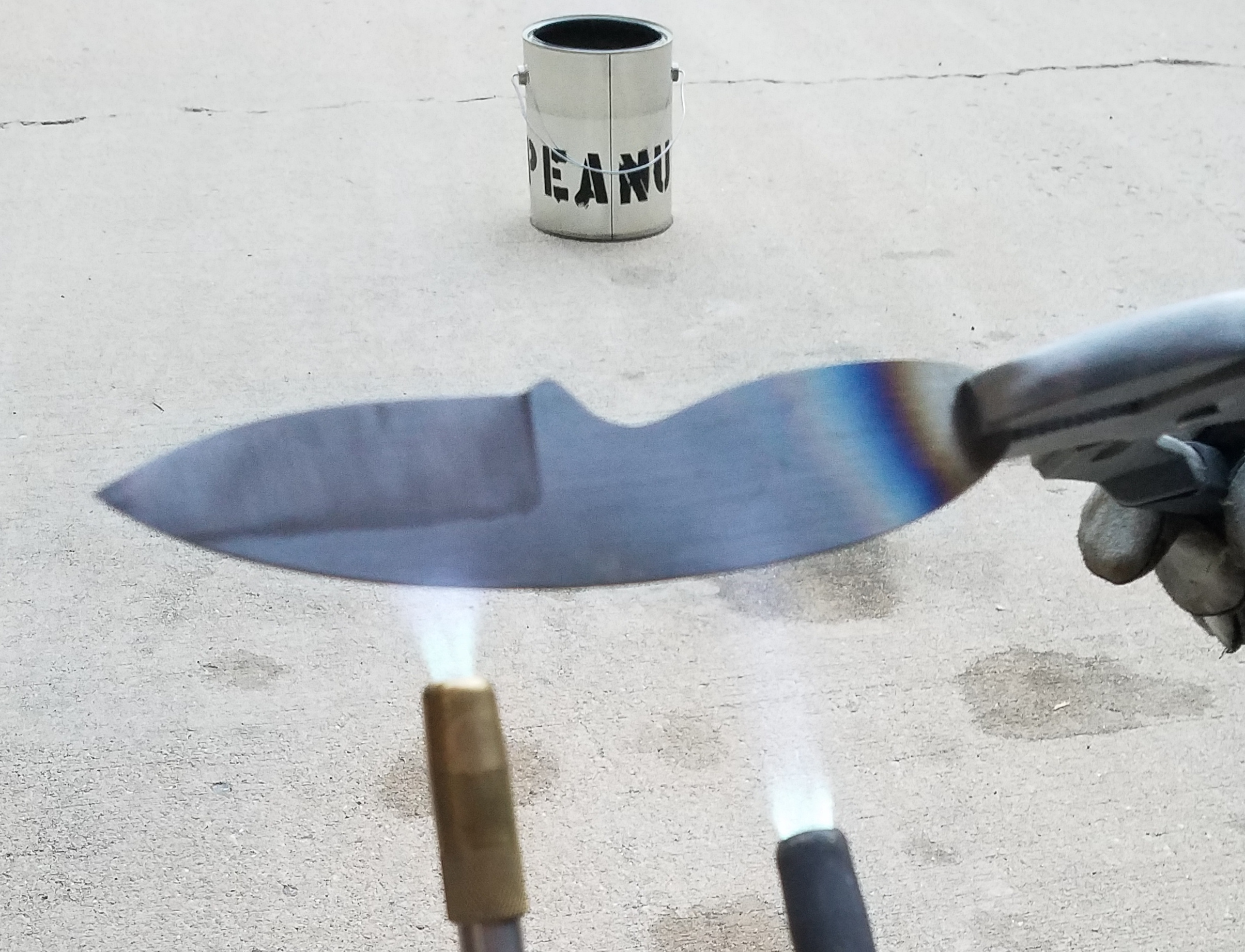
<p>First it has to be heated to roughly 1500°F, or a little beyond its curie point (steel stops attracting a magnet). Once the blade is uniformly at 1500°F, it is submerged in oil (I used peanut oil) to cool it quickly.</p>

<p><img src="/assets/first-knife/heating-steel-2.jpg" alt="Hardening" /></p>

<p>My first attempt at hardening the blade didn’t go exactly to plan. I was using 2 torches (above) in an attempt to get enough heat, however it was very difficult to get a uniform color (and therefore temperature) throughout the steel while reaching a high enough temperature. In the end, I decided to re-harden the steel with a more powerful heat source. Unfortunately, I didn’t take any pictures of the second attempt at hardening the blade, but it’s really the same as before just with a bigger torch.</p>

<p>The final step was to temper the blade. This softens the steel so it won’t crack or shatter as easily. I just put the hardened blade in an ordinary kitchen oven at 400°F for about an hour.</p>

<h2 id="the-handle">The Handle</h2>

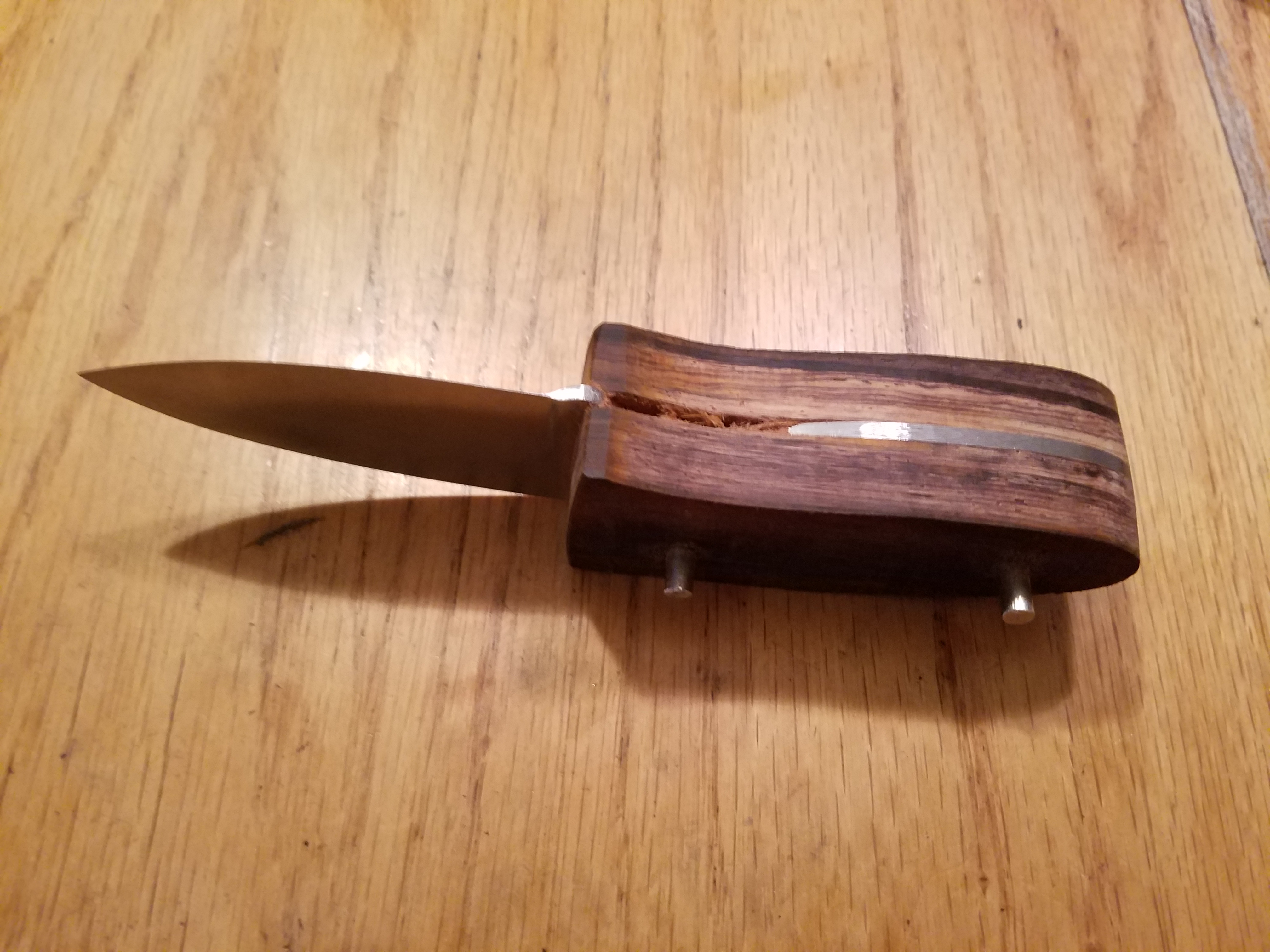
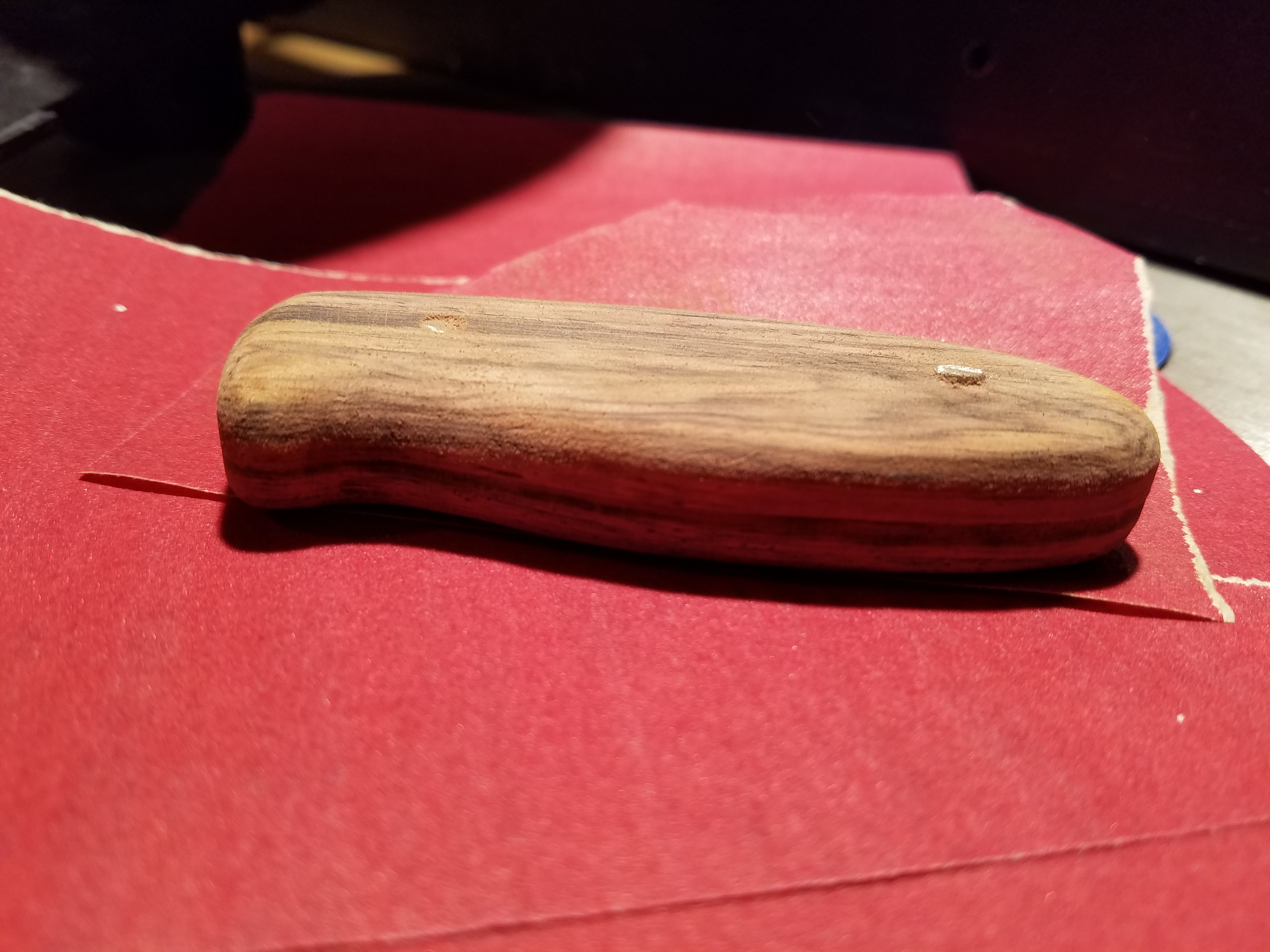
<p>I settled on cocobolo for the handle. The process of shaping the handle scales is fairly straightforward. I put the two blocks of wood on either side of the blade and sanded them until I was just starting to hit steel. Once the profile is mostly done, I once again connected the scales with dowel pins to keep them aligned and sanded their profiles.</p>

<table>
  <tbody>
    <tr>
      <td><img src="/assets/first-knife/rough-wood.jpg" alt="Roughed out wood" /></td>
      <td><img src="/assets/first-knife/smooth-wood.jpg" alt="Contoured wood" /></td>
    </tr>
  </tbody>
</table>

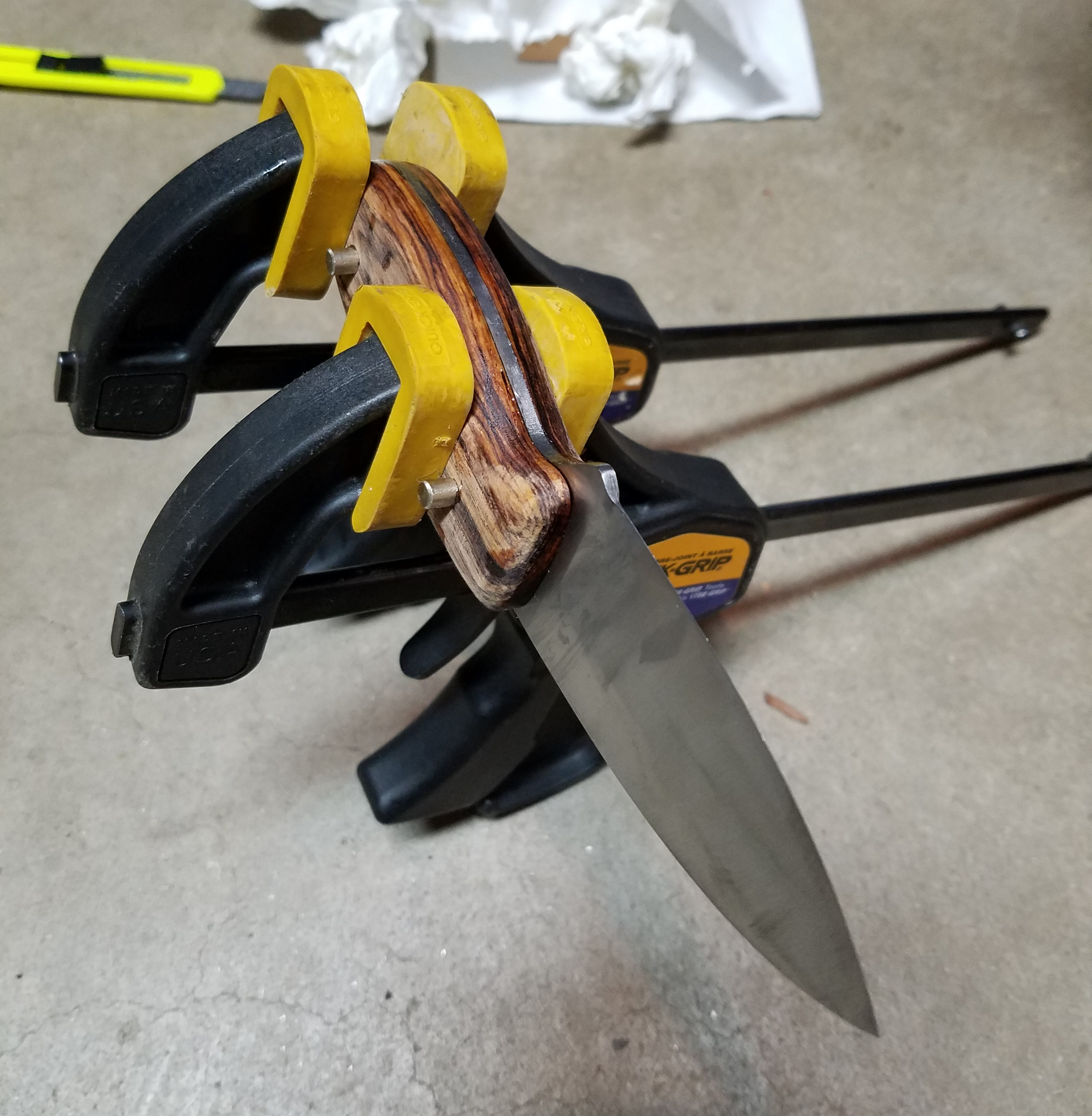
<p>I then glued the wood scales onto the sides of the steel with epoxy. They were held in place with the dowel pins and clamps. For future knives, I will definitely use more clamps and ensure better flattness of the scales since there is a small void between the wood and steel in one spot.</p>

<p><img src="/assets/first-knife/gluing-2.jpg" alt="Gluing scales" /></p>

<p>Once everything was glued, I could have hammered a mushroom head on the ends of the pins but I decided not to. I was concerned about accidently damaging the wood finish and since this knife won’t be getting very heavy use I’m not so concerned about it falling apart. I simply sanded off the excess of the pins and let the epoxy work its magic.</p>

<h2 id="finishing">Finishing</h2>

<p>The steel was simply finished by hand with sand paper on a flat surface. I was initially planning to take the finish up to around 1000-2000 grit but since there were already imperfections like a minor warp of the steel from heat treating as well as not perfectly flat surfaces of the bevel, I decided to stop at 400 grit. I’m still happy with this decision since it saved me a lot of time and I like that it looks more like a brushed finish.</p>

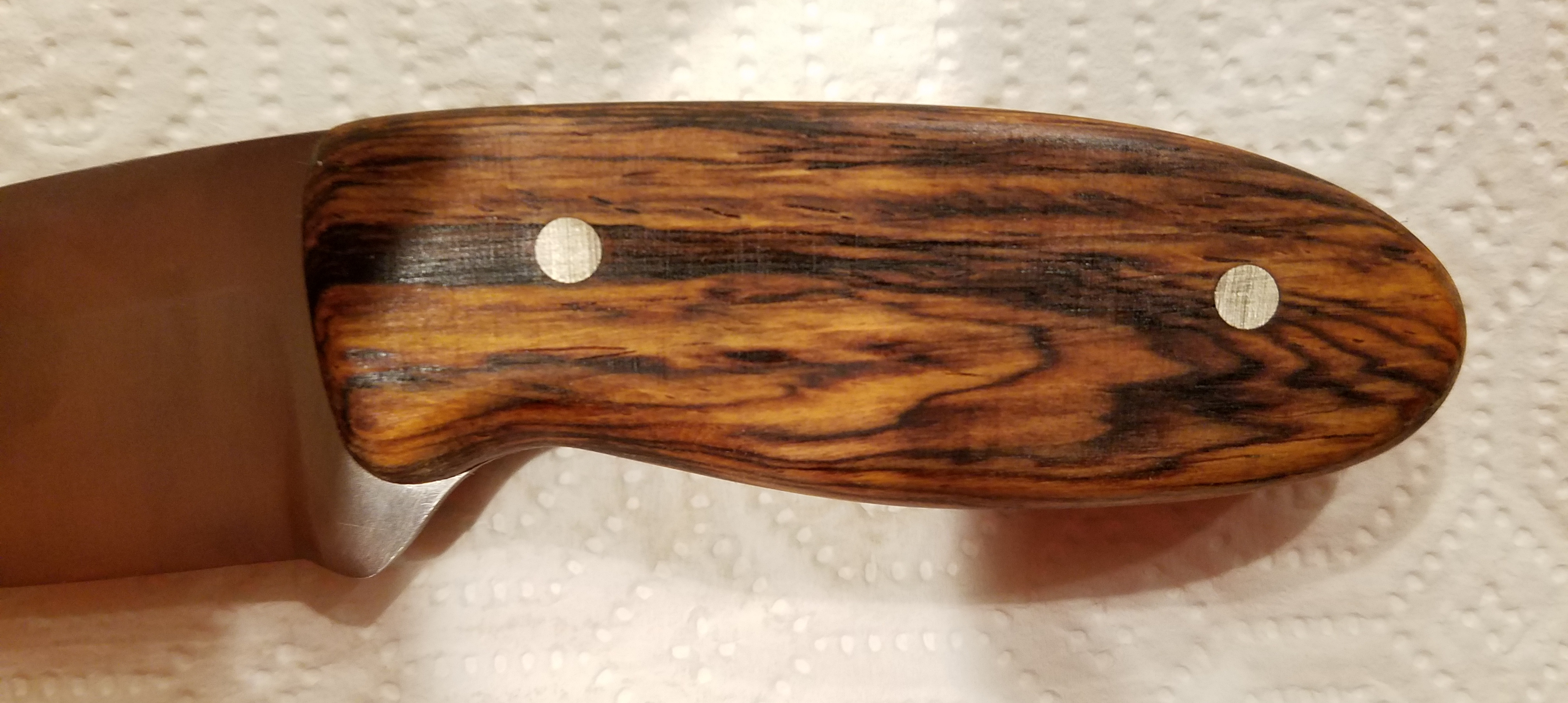
<p>For the handle, I was planning to use polyurethane simply because its what I had and I don’t know much about finishing woods. Luckily for me, before I started using it I did some research which revealed that <strong>polyurethane will never cure</strong> when used on cocobolo and many other exotic hardwoods. This is due to oils from the wood interfering with the reaction which cures the finish.
In the end, I used a tung oil finish which turned out beautifully.</p>

<p><img src="/assets/first-knife/finished-wood-2.jpg" alt="Finished handle" /></p>

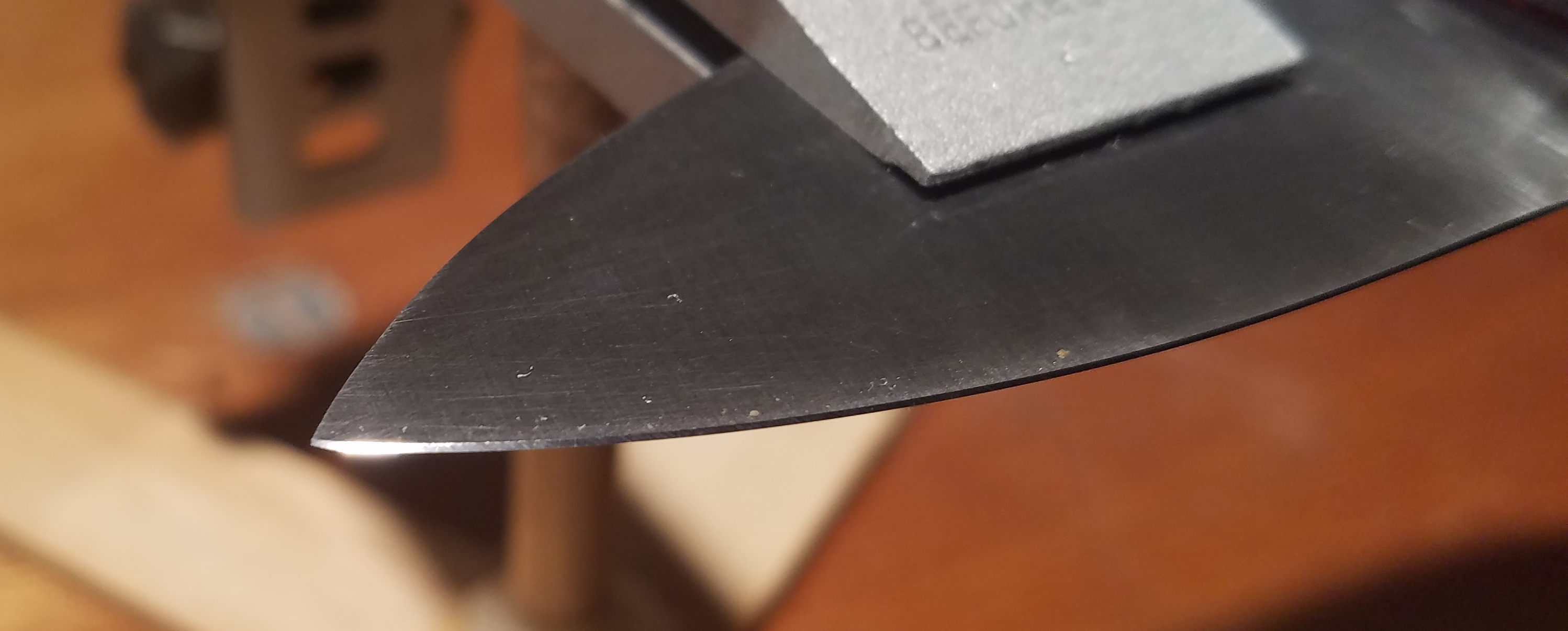
<p>I generally havent worried too much about how sharp my knives are in the past and simply used an electric sharpener from my kitchen. This time, I wanted to do a little better so I borrowed a set of stones from a friend and put the time in to give it a real edge.</p>

<p><img src="/assets/first-knife/mirror-edge-2.jpg" alt="Mirror edge" /></p>

<h2 id="conclusion">Conclusion</h2>

<p>I’m really happy with how this turned out. The knife feels good in my hand despite having a small handle. I sharpened the blade well beyond the point of shaving hair so I know it will take an edge well. I have yet to see how well the steel holds its edge.</p>

<h2 id="resources">Resources</h2>

<ul>
  <li>Jantz Supply for <a href="http://www.knifemaking.com">1095 steel &amp; cocobolo block</a></li>
  <li>Harbor Freight <a href="https://www.harborfreight.com/1-in-x-30-in-belt-sander-60543.html">1x30” belt sander</a></li>
  <li>Diablo <a href="http://www.homedepot.com/p/Diablo-1-in-x-30-in-Assorted-Belt-Pack-3-Piece-DCB130VGPS03G/202830850">1x30” sandling belts</a></li>
  <li>Harbor Freight <a href="https://www.harborfreight.com/propane-torch-91033.html">propane torch</a></li>
  <li>Lansky <a href="https://www.amazon.com/Lansky-Deluxe-5-Stone-Sharpening-System/dp/B000B8IEA4/ref=sr_1_3?ie=UTF8&amp;qid=1502920512&amp;sr=8-3&amp;keywords=knife+sharpening+kit">knife sharpening set</a></li>
</ul>

<p>NOTE: I initally used Harbor Freight’s 1x30” sanding belts. Their 40 and 80 grit belts are quite satisfactory however the ends of their 120 grit belts are overlapped (creating a bump) rather than having a proper butt joint. I recommend Harbor Freight 40/80 grit sanding belts over Diablo belts due to cost. Diablo is just what I could get locally.</p>]]></content><author><name></name></author><category term="Projects" /><summary type="html"><![CDATA[I’ve been wanting to make my own knives for a while now and decided it was time to just do it. Here’s what the finished product looks like.]]></summary></entry><entry><title type="html">Hohm Phone: Cell Phone for the Elderly</title><link href="https://brendanhaines.com/2017/05/01/hohm_phone" rel="alternate" type="text/html" title="Hohm Phone: Cell Phone for the Elderly" /><published>2017-05-01T00:00:00-06:00</published><updated>2017-05-01T00:00:00-06:00</updated><id>https://brendanhaines.com/2017/05/01/hohm_phone</id><content type="html" xml:base="https://brendanhaines.com/2017/05/01/hohm_phone"><![CDATA[<!-- ## Intro -->

<p>For my freshman projects class in the Fall of 2016, we were prompted with using some aspect of touch tone phones in a new way. Ultimately, my group decided on making a cell phone targeted at the elderly population, some of whom struggle to use miniaturized cell phones or much more complicated smartphones.</p>

<p>The primary goal of our project was to create a working cell phone with as similar an interface to old landlines as possible to simplify use.</p>

<!--more-->

<h2 id="design">Design</h2>

<p>The design is based around an Arduino and inexpensive SIM800L GSM module. Schematic, board layout, and Arduino code are available in the <a href="https://github.com/brendanhaines/Hohm-Phone">Git repository</a>. As a brief overview, the ATMEGA328P (microcontroller that’s on an Arduino Uno/Nano) communicates with the SIM800L by sending AT commands over UART and monitors the keypad for button presses. There is additionally a SIM card on the back of the board which interfaced directly with the SIM800L over SPI. Interpretation of phone numbers is performed on the ATMEGA328P and currently works for calls within the United States but would need significant improvement to be used for international calling.</p>

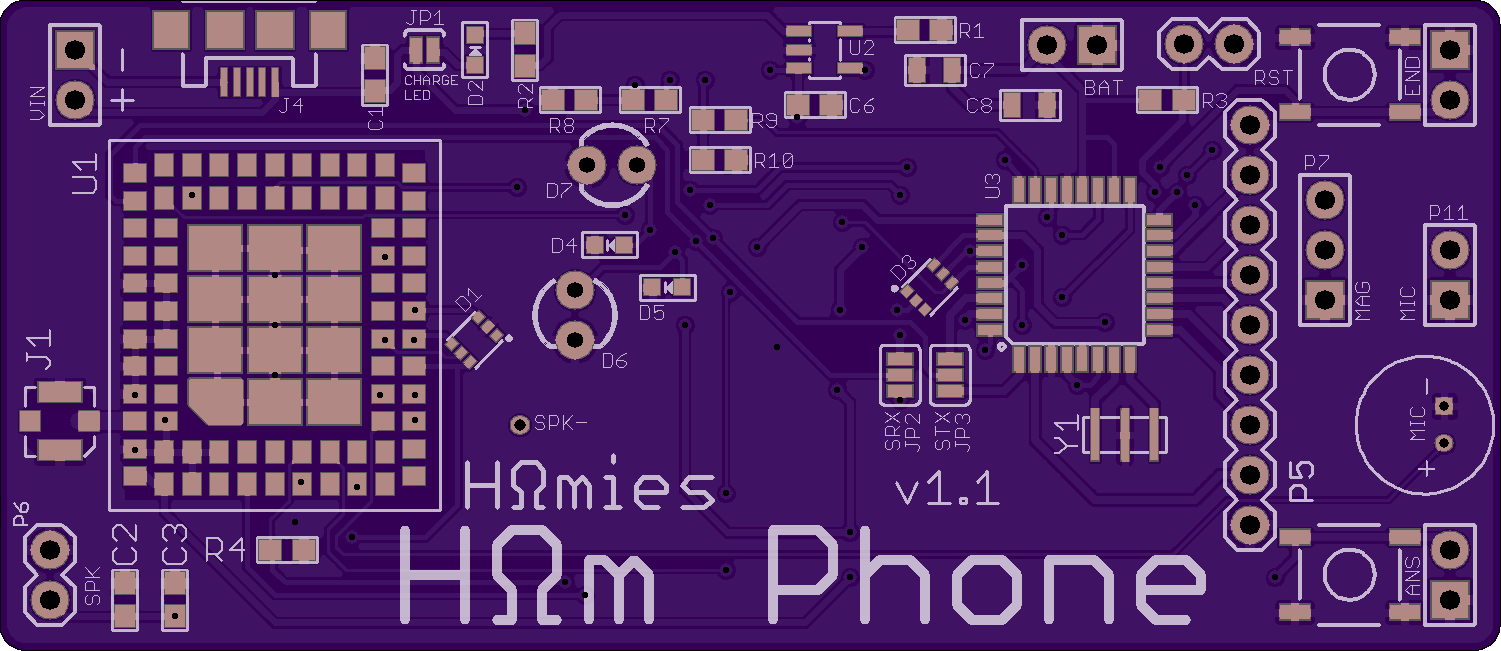
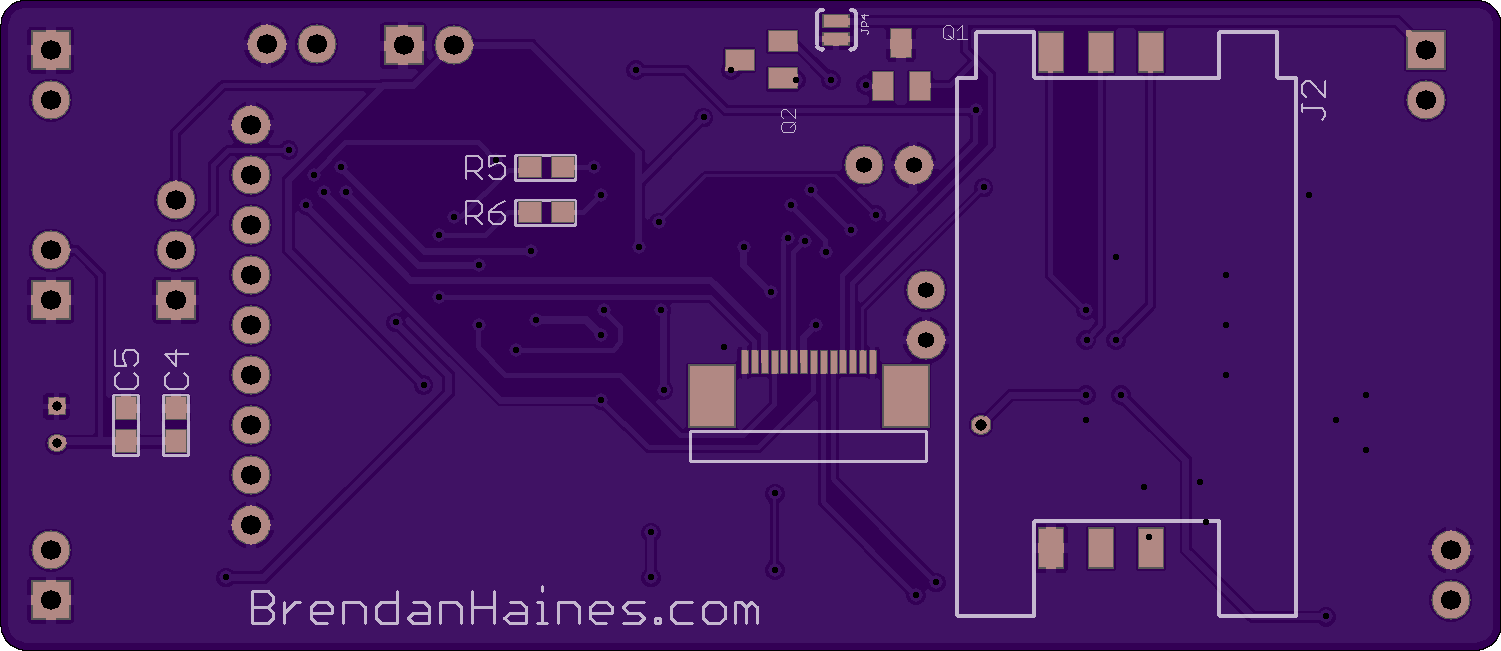
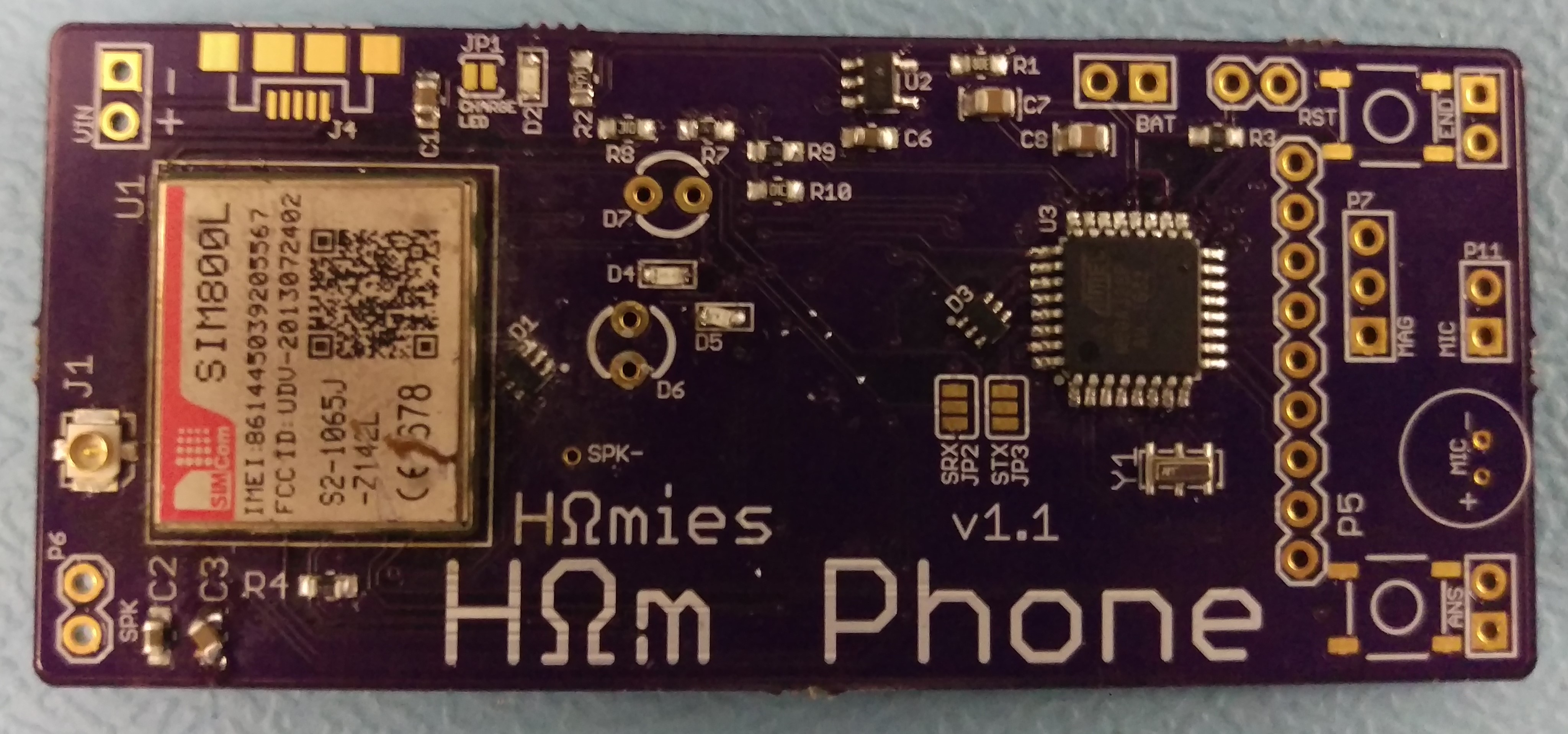
<p>To save space, in addition to it just being cool, I designed a PCB for the phone.</p>

<table>
  <tbody>
    <tr>
      <td><img src="/assets/hohm-phone/IMG_board_top.png" alt="PCB Top" /></td>
      <td><img src="/assets/hohm-phone/IMG_board_bottom.png" alt="PCB Bottom" /></td>
    </tr>
  </tbody>
</table>

<p><img src="/assets/hohm-phone/IMG_populated_pcb_cropped.jpg" alt="Populated PCB" /></p>

<p>Through this process, I learned quite a bit about PCB design and debugging as well as how that can fit into a larger project’s workflow. This is the largest and most complicated PCB I’ve made to date as well as the most difficult to solder package (LGA-88 with lots of heat dissipation).</p>

<p>Since I don’t personally have any reflow soldering equipment, I had to use what was available in the circuits lab here at CU. Unfortunately, the PCB arrived during Thanksgiving break and I couldn’t get access to those tools for a week, leaving me with just 1 week to populate, test, and debug the board. This ended up being pretty stressful. Population of the SIM800L module became a lot easier when I started using a hot air station powerful enough for the job as opposed to a hand held air gun.</p>

<p>Once populated, testing was fairly straightforward and showed only a few issues:</p>

<ul>
  <li>Indicator LEDs (low battery, no service) wouldn’t light</li>
  <li>Speaker volume very low</li>
  <li>Battery would not charge</li>
</ul>

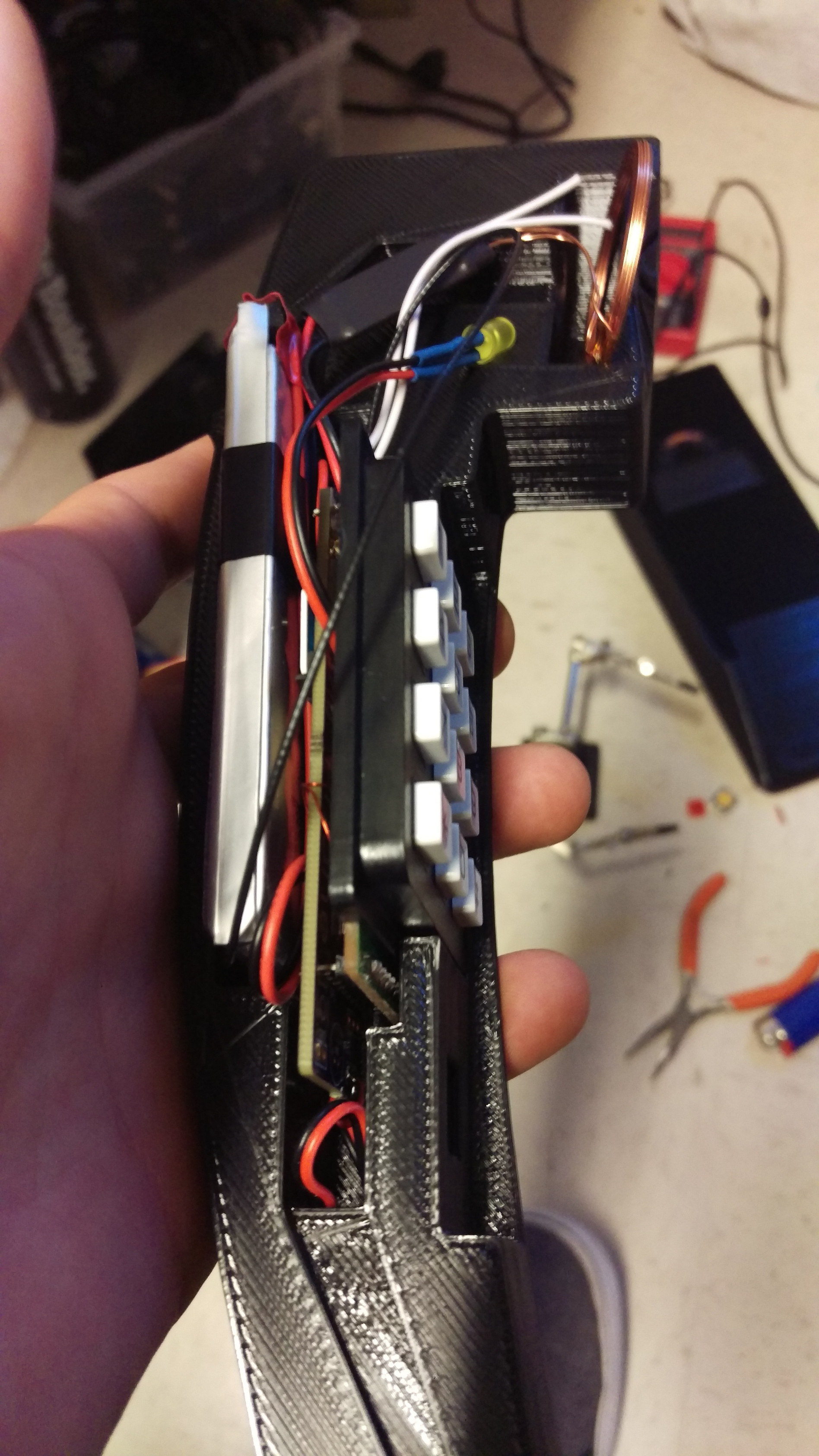
<p>Unfortunately, due to the time crunch before the design expo, we abandoned charging with our fallback plan of removing the battery and charging it on a separate lipo charger. This worked both for testing and demonstration and</p>

<table>
  <tbody>
    <tr>
      <td><img src="/assets/hohm-phone/IMG_guts_assembled_small.jpg" alt="Phone Internals" /></td>
      <td><img src="/assets/hohm-phone/IMG_front.jpg" alt="Initial Assembly" /></td>
    </tr>
  </tbody>
</table>

<h2 id="final-product">Final Product</h2>

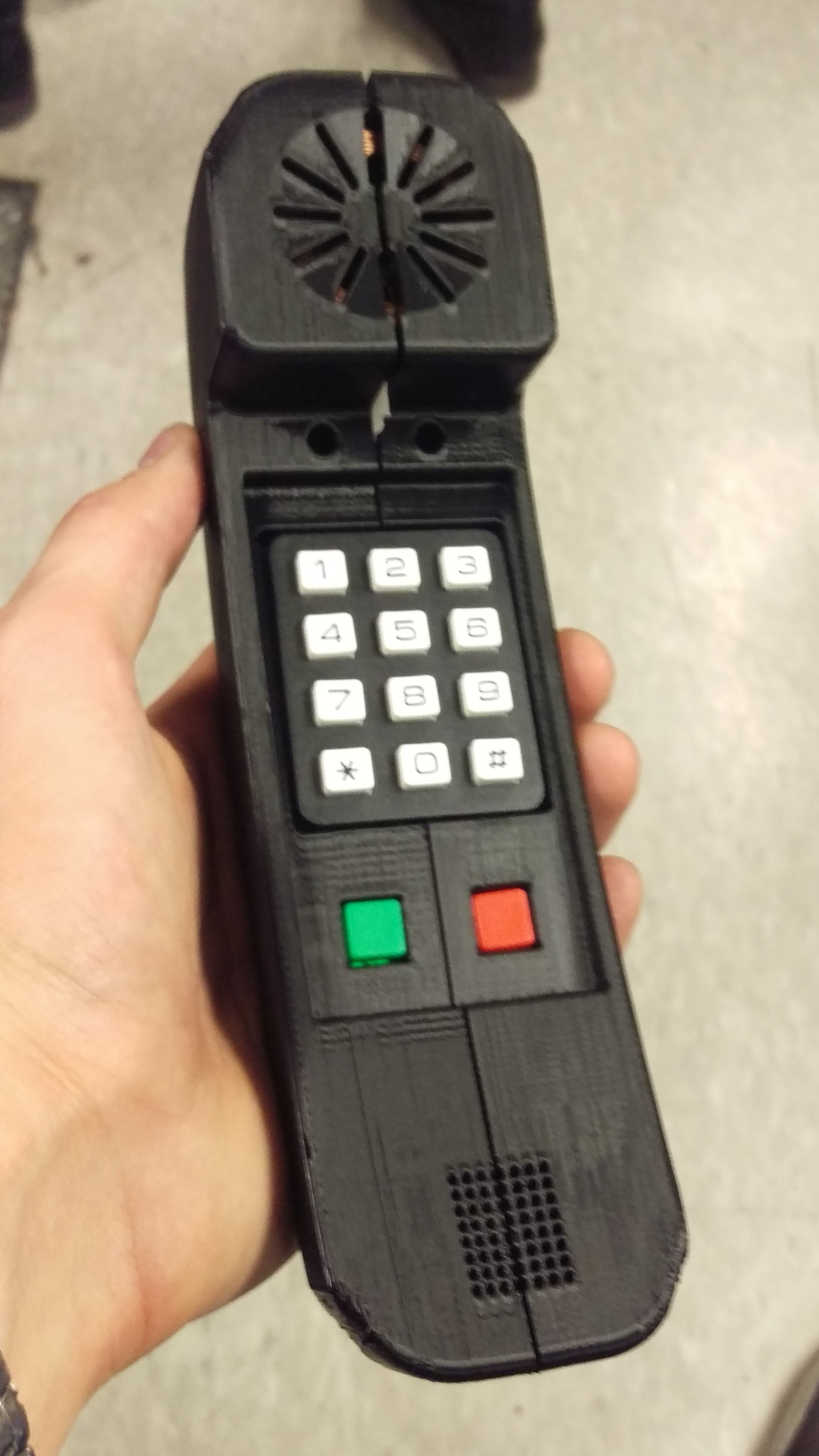
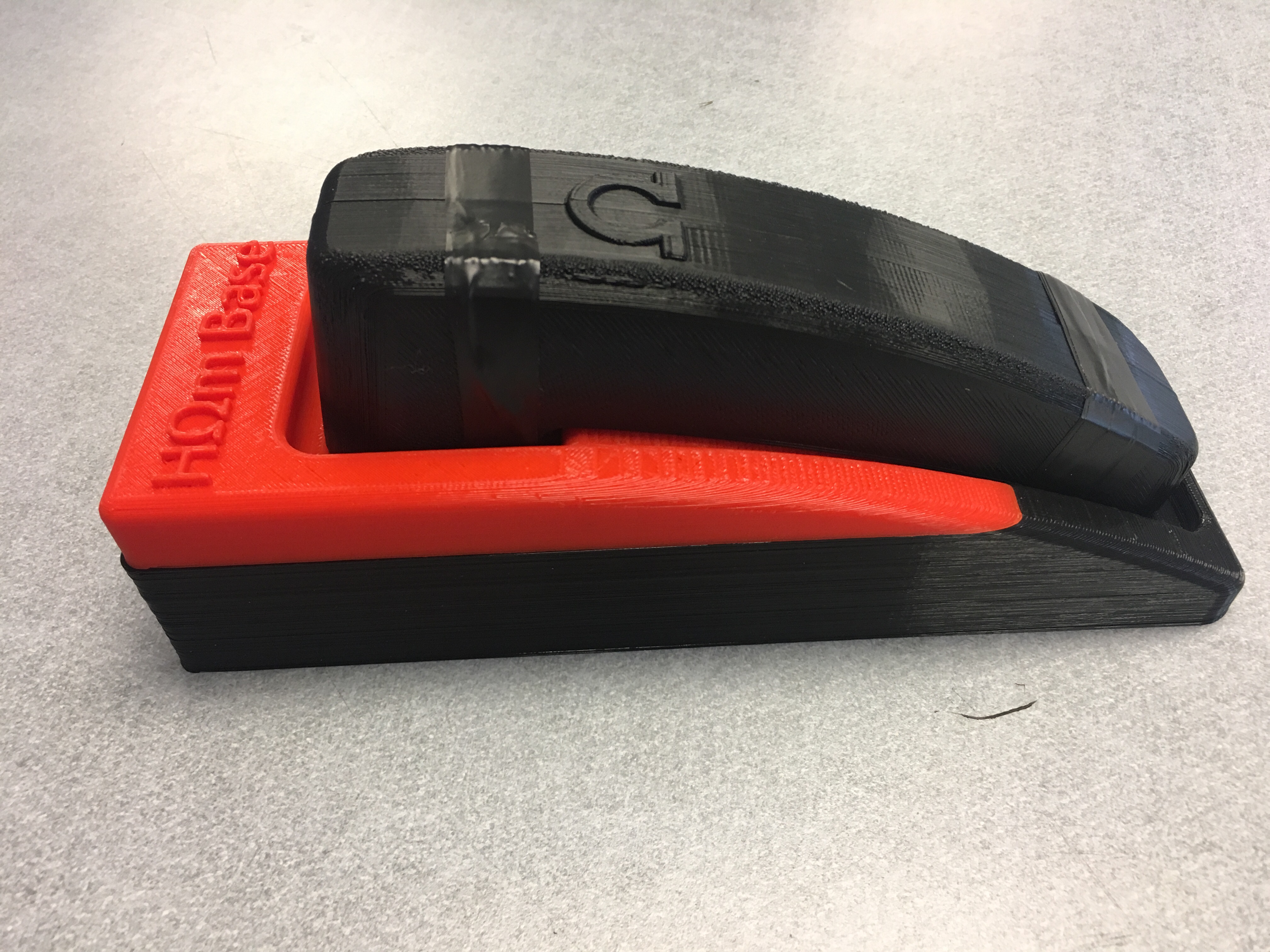
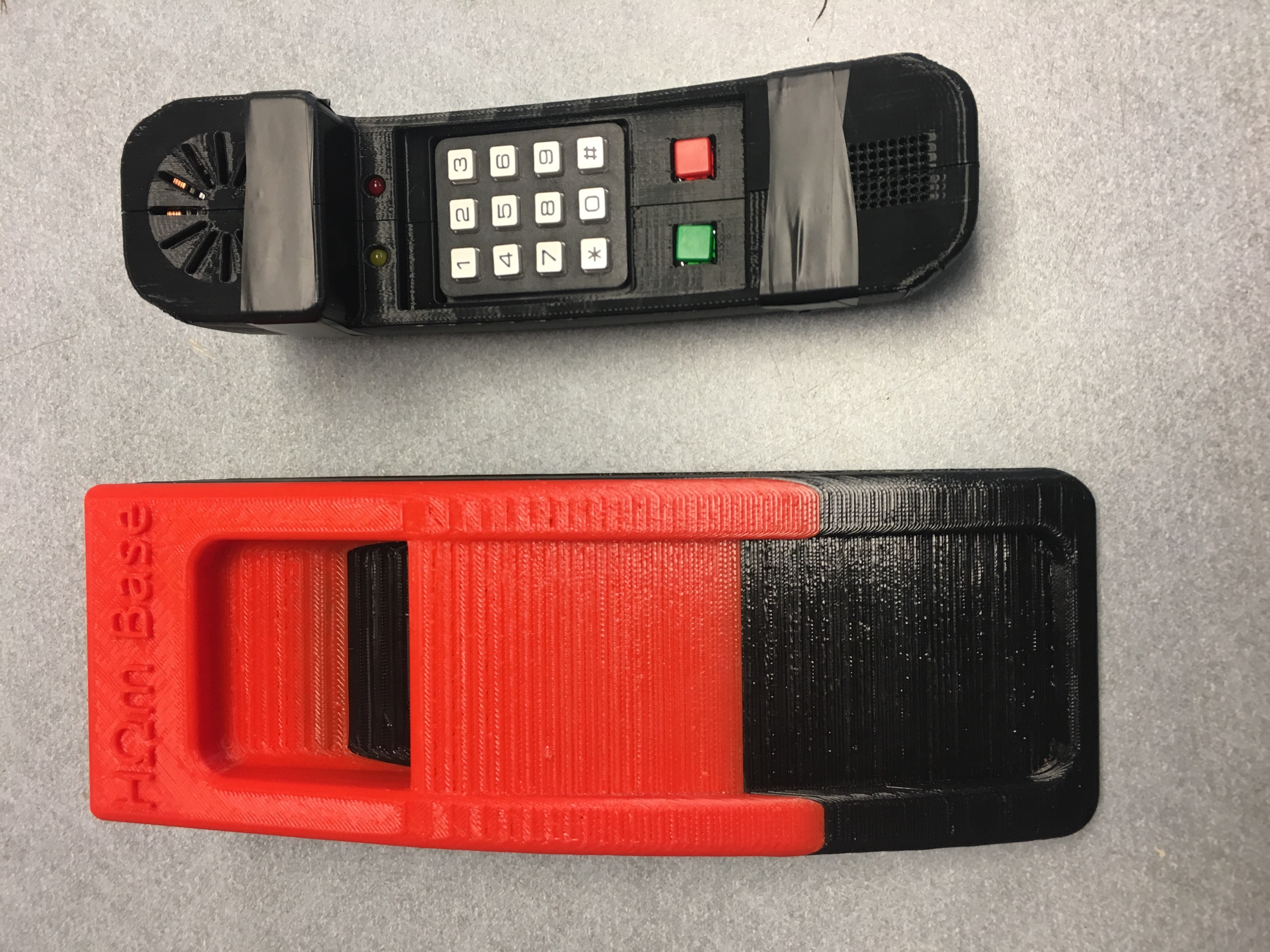
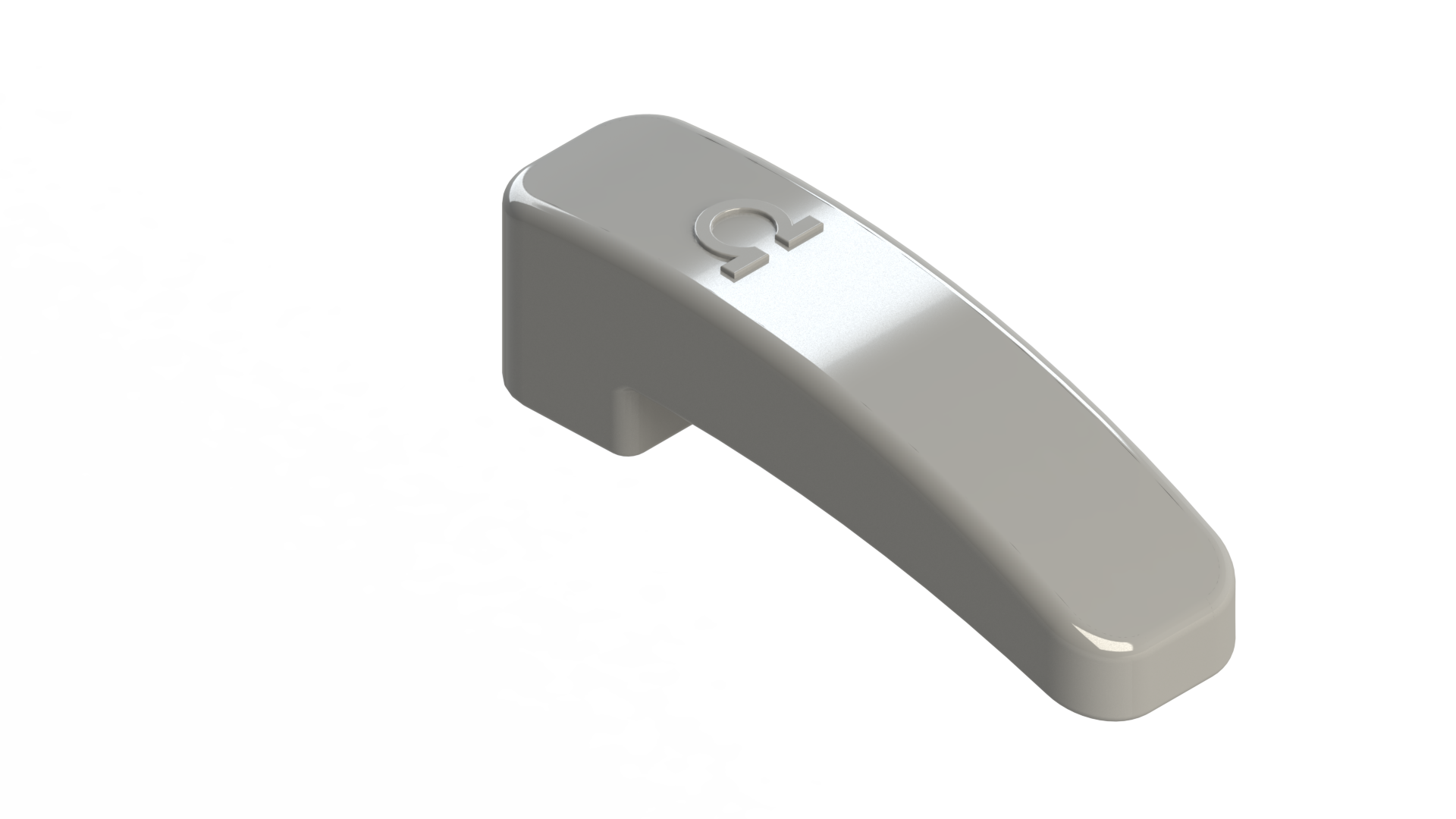
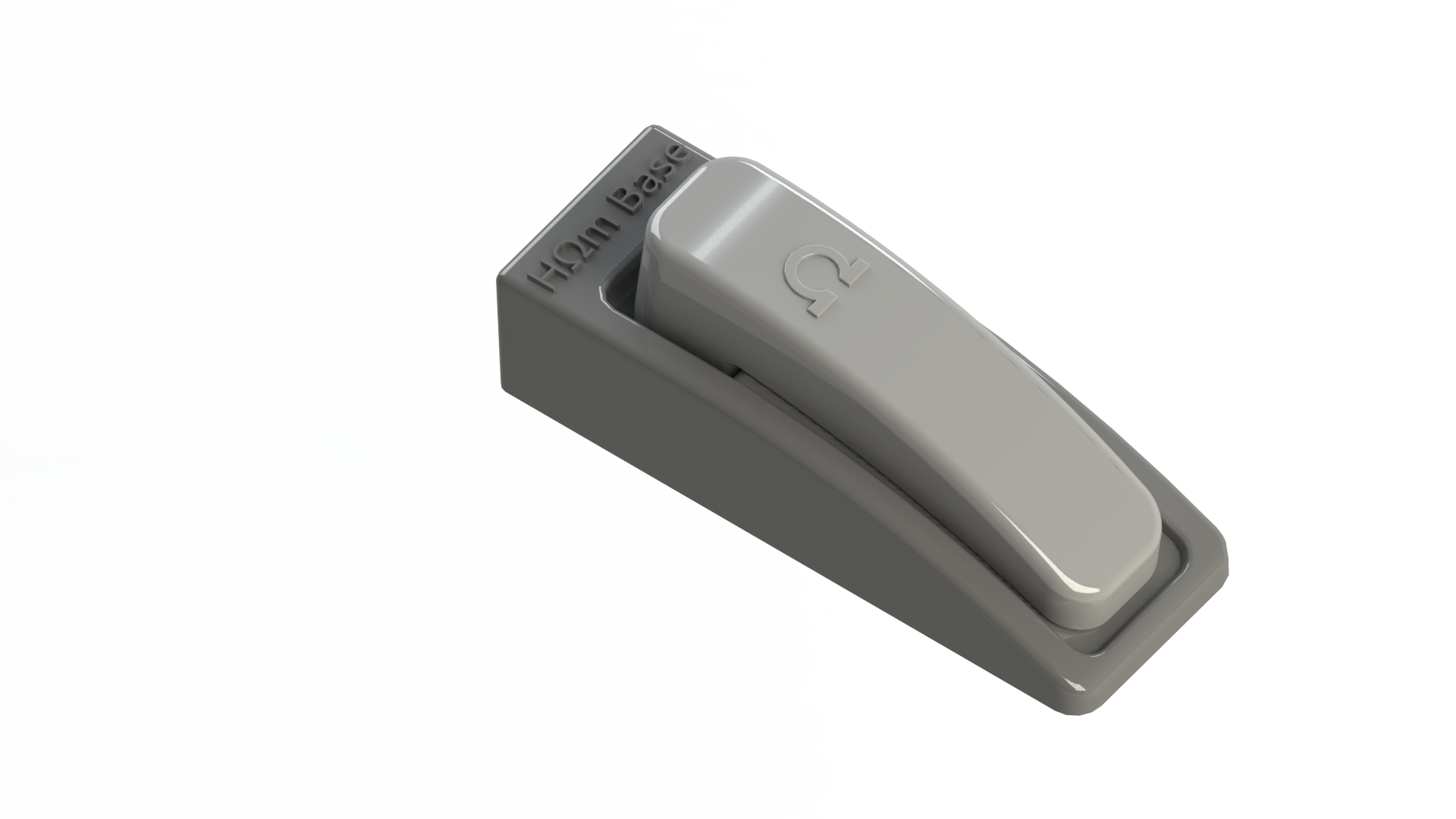
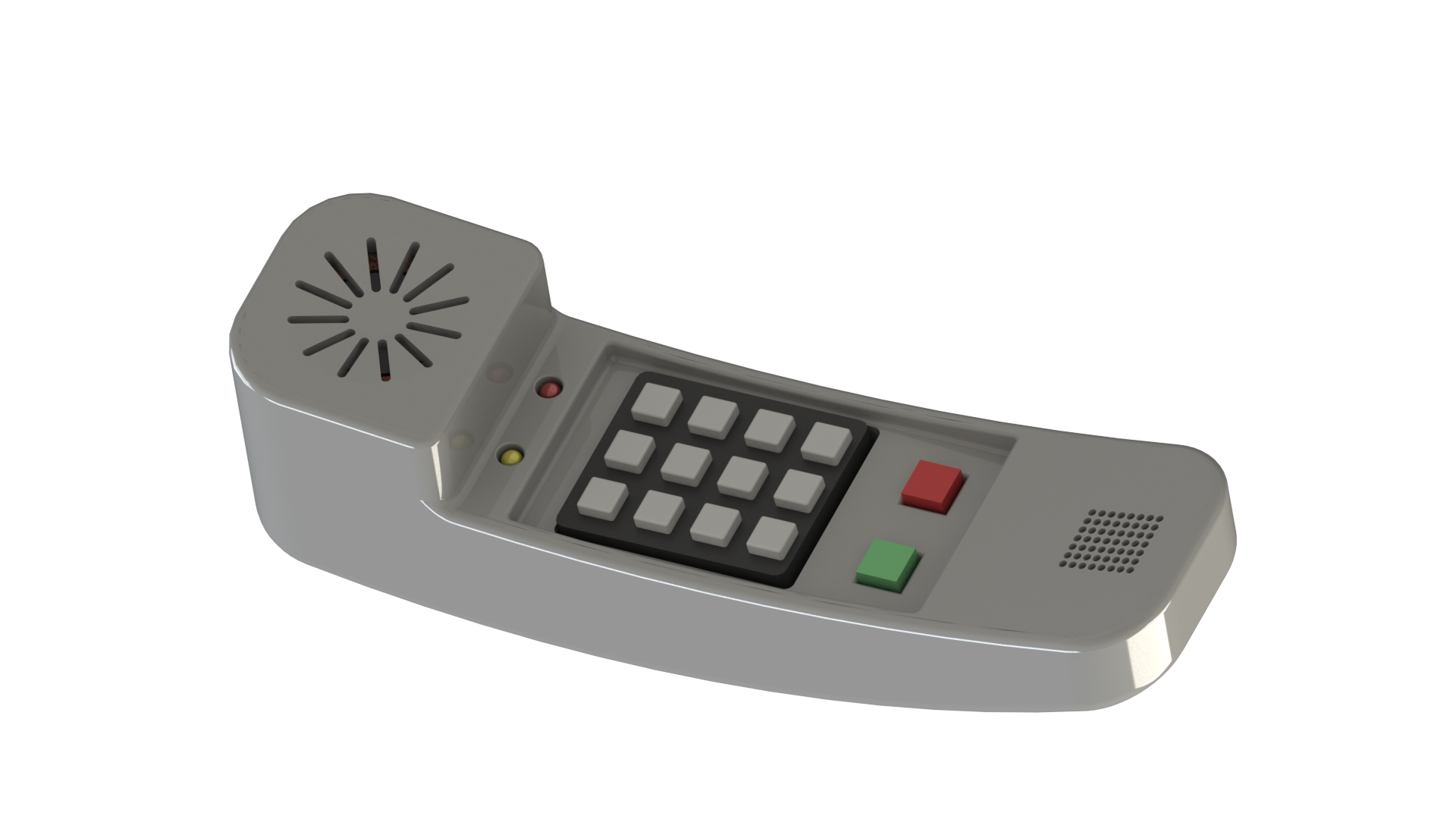
<p>The finished phone is fully capable of placing and receiving calls within the country and maintains the same interface as old touch tone phones with the addition of an answer button (green) and moving the end-call button from a base station to the handset (red).</p>

<table>
  <tbody>
    <tr>
      <td><img src="/assets/hohm-phone/IMG_final.jpg" alt="Final Phone" /></td>
      <td><img src="/assets/hohm-phone/IMG_final_separate.jpg" alt="Final Phone" /></td>
    </tr>
  </tbody>
</table>

<table>
  <tbody>
    <tr>
      <td><img src="/assets/hohm-phone/IMG_render_final_top.png" alt="Final Phone Render" /></td>
      <td><img src="/assets/hohm-phone/IMG_render_final_docked.png" alt="Final Phone Render" /></td>
      <td><img src="/assets/hohm-phone/IMG_render_final_bottom.png" alt="Final Phone Render" /></td>
    </tr>
  </tbody>
</table>

<h2 id="further-development">Further Development</h2>

<p>Throughout the design process, I came across a few additional features that I would like to incorporate into the Hohm Phone (if there ever is a version 2). The most important feature is definitely to fix charging since that didn’t work and is very essential to being functional at all in the real world. Additionally, improving audio volume would be important.</p>

<p>Next on the list is adding a voice changer to lower the pitch of incoming voices. I remember whenever my family would call my great grandmother, she would have no trouble hearing anything my dad said but struggled to understand anyone else because our voices were higher pitched. During this project, I came across a couple voice-changer projects which reminded me of these experiences and would be a great internal addition to a phone specifically made for the elderly.</p>

<h2 id="resources">Resources</h2>

<ul>
  <li>Git Repository (<a href="https://github.com/brendanhaines/Hohm-Phone">GitHub</a>)</li>
</ul>]]></content><author><name></name></author><category term="Projects" /><summary type="html"><![CDATA[For my freshman projects class in the Fall of 2016, we were prompted with using some aspect of touch tone phones in a new way. Ultimately, my group decided on making a cell phone targeted at the elderly population, some of whom struggle to use miniaturized cell phones or much more complicated smartphones. The primary goal of our project was to create a working cell phone with as similar an interface to old landlines as possible to simplify use.]]></summary></entry><entry><title type="html">FPGA Reaction Timer</title><link href="https://brendanhaines.com/2017/04/30/fpga_reaction_timer" rel="alternate" type="text/html" title="FPGA Reaction Timer" /><published>2017-04-30T14:00:00-06:00</published><updated>2017-04-30T14:00:00-06:00</updated><id>https://brendanhaines.com/2017/04/30/fpga_reaction_timer</id><content type="html" xml:base="https://brendanhaines.com/2017/04/30/fpga_reaction_timer"><![CDATA[<!-- ## Intro -->

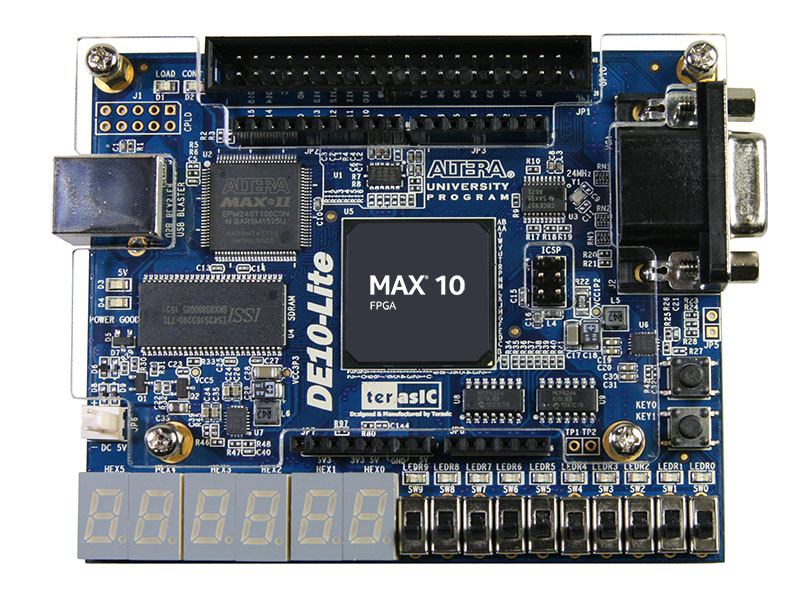
<p>The purpose of this project was to gain experience with a field programmable gate array (FPGA) and design of digital logic through the creation of a reaction timer.
This timer must be able to wait a random length of time before measuring how long a person takes to react to an LED turning on.
The purpose of this delay is to prevent someone from simply pressing a start and stop button in quick succession without ever having to truly react to an event outside of their control.</p>

<!--more-->

<p><img src="/assets/fpga-reaction-timer/de10-lite.jpg" alt="DE10-Lite FPGA" /></p>

<h2 id="overall-design">Overall Design</h2>

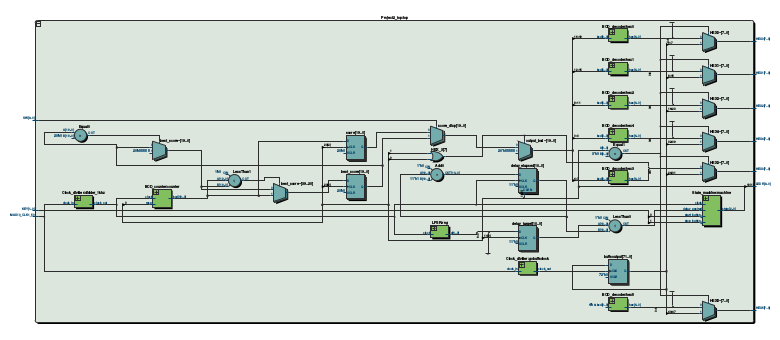
<p>This reaction timer is built around a state machine, a pseudo-random number generator, and a counter.
The random number generator is used in conjunction with a counter to create a delay of random length.
At the expiration of this delay, the counter then measures the time required for the user to react and press a button.
Finally, either the most recently measured reaction time or the fastest reaction time (as determined by a toggle switch) is shown on seven-segment displays.</p>

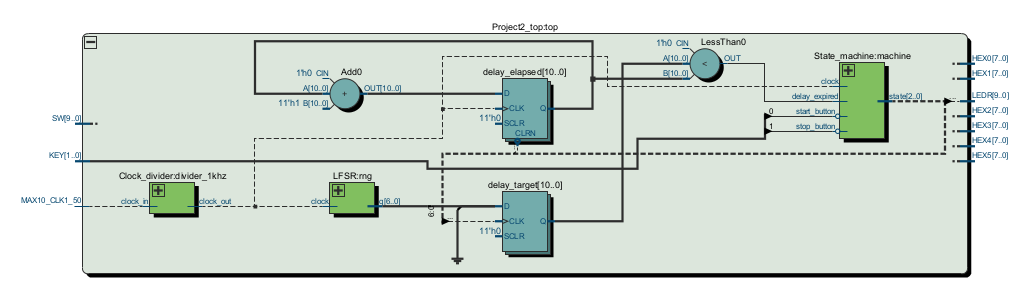
<p><img src="/assets/fpga-reaction-timer/top-block-diagram.png" alt="Reaction timer block diagram" /></p>

<p>This diagram is somewhat hard to read given multiple functions all being performed in the same space. This is a simplified diagram depicting only the components used to create a random duration delay.</p>

<p><img src="/assets/fpga-reaction-timer/delay-block-diagram.png" alt="Delay element block diagram" /></p>

<h2 id="state-machine-design">State Machine Design</h2>

<p>I decided to use a zero one hot encoding of state for multiple reasons.
We discussed one hot encoding in class and I liked the simplicity of logic allowing the state machine to function, but I still would have to deal with every bit being a zero when the device is initially powered on.
Since I want specific actions performed when the device first powers on anyway, I decided to simply add the state where all bits are zero as one of the states.</p>

<table>
  <thead>
    <tr>
      <th style="text-align: center">State[2:0]</th>
      <th style="text-align: center">Action</th>
    </tr>
  </thead>
  <tbody>
    <tr>
      <td style="text-align: center">000</td>
      <td style="text-align: center">power-on</td>
    </tr>
    <tr>
      <td style="text-align: center">001</td>
      <td style="text-align: center">delay</td>
    </tr>
    <tr>
      <td style="text-align: center">010</td>
      <td style="text-align: center">count</td>
    </tr>
    <tr>
      <td style="text-align: center">100</td>
      <td style="text-align: center">result</td>
    </tr>
  </tbody>
</table>

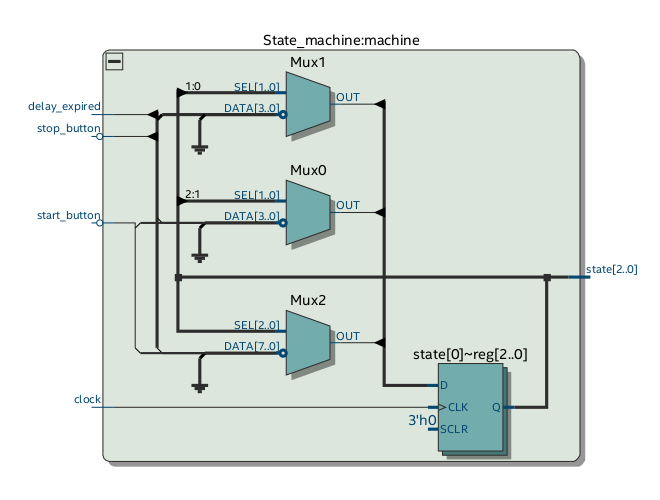
<p>I also need to be able to display either the most recent reaction time or the best (shortest) reaction time, so I decided to use a Mealy type state machine.
Since selection between these two output modes is done with a toggle switch, it is trivial to add a multiplexer directly using the switch input to control what value is being sent to the display drivers.</p>

<p><img src="/assets/fpga-reaction-timer/state-machine-block-diagram.png" alt="State machine block diagram" /></p>

<p>Note that both <code class="language-plaintext highlighter-rouge">start_button</code> and <code class="language-plaintext highlighter-rouge">stop_button</code> above are inverted inputs.
This is because the onboard buttons are low active.
Also note that this module does not contain the selection of which reaction time to display as the result.</p>

<h2 id="random-number-generator">Random Number Generator</h2>

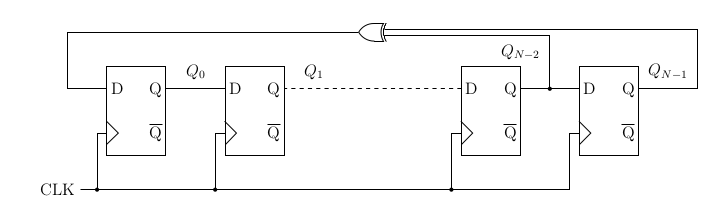
<p>To generate pseudo-random numbers, I’m using a Fibonacci linear feedback shift register (LFSR). For this to generate pseudo-random numbers, specific numbers of bits must be used as the length of the number. For this test, I used a 7 bit LFSR.</p>

<p><img src="/assets/fpga-reaction-timer/lfsr-topology.png" alt="Linear feedback shift register" /></p>

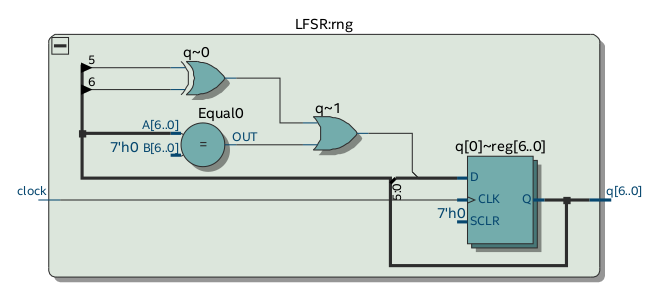
<p>My implementation of this shift register initally failed due to a very important misunderstanding with regards to verilog implementation in hardware.
I Iniially did not realize that <code class="language-plaintext highlighter-rouge">inital</code> blocks only affect simulation so my LFSR was starting with an initial condition of all zeros.
Unfortunately, this is the one stable state so it <em>always</em> output 0.
To fix this problem, I simply had to change the assignment of the least significant bit from <code class="language-plaintext highlighter-rouge">d[0] = (q[N-1] ^ q[N-2])</code> to <code class="language-plaintext highlighter-rouge">(q[N-1] ^ q[N-2]) || (q=={N{1'b0}})</code>.
This simply sets a single bit to 1 if all are zero.</p>

<p><img src="/assets/fpga-reaction-timer/lfsr-block-diagram.png" alt="LFSR block diagram" /></p>

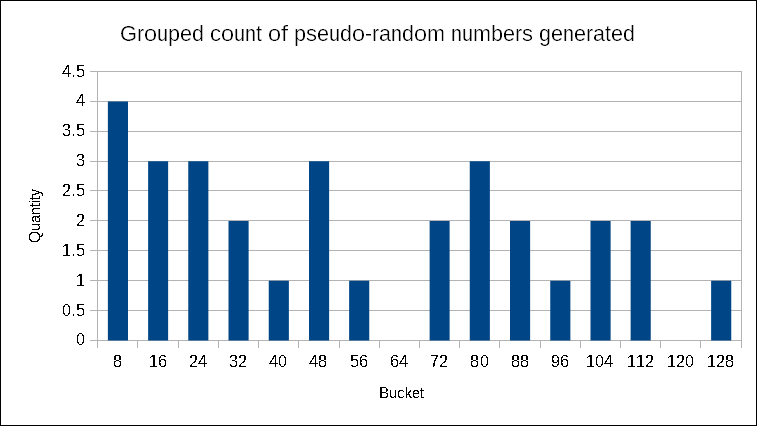
<p>To ensure that the LFSR was functioning as expected (make sure I hadn’t screwed up), I sampled the value 30 times at approximately 1000-5000 clock cycle intervals.</p>

<p><img src="/assets/fpga-reaction-timer/lfsr-histogram.png" alt="LFSR output values" /></p>

<p>Unfortunately, 30 samples doesn’t allow for significant trends to develop in terms of frequency of occurance of various numbers. What this sample does show is that the LFSR is providing values throughout its full output range and, when I slowed down the clock to 1Hz, confirmed that it is operating exactly as it should.</p>

<h2 id="extra-features">Extra Features</h2>

<p>Though functionally useless, I also added a scrolling message on the seven-segment display when the device turns on. In honor of CU, this message is <code class="language-plaintext highlighter-rouge">go buffs</code>.
I made this scroll across the available digits through the use of a 2Hz clock which causes the message to shift left by 8 bits (7 segments + decimal point).</p>

<h2 id="demonstration">Demonstration</h2>

<p>Here is a video of the timer in action.</p>

<div class="plyr__video-embed" id="player">
<iframe width="560" height="315" src="https://www.youtube.com/embed/Mfbvz1SpOVE" frameborder="0" allowfullscreen=""></iframe>
</div>

<h2 id="further-development">Further Development</h2>

<p>This has been a really interesting experience getting to create low level hardware without ever having to physically manipulate hardware.
I definitely have gained a bit more understanding as to the power of FPGAs despite the fact that I never came close to using even a single percent of this chip’s capability.</p>

<p>While I was working on this project I messed around a little bit with driving a VGA display since this hardware is fully capable of doing so.
I never succeeded in producing a signal recognizable to my monitor, however I would like to investigate the cause of this failure in the future.
It could be a good introduction to designing hardware for synchronous communication.</p>

<h2 id="resources">Resources</h2>

<p>Due to this project being part of a course, I cannot publish the complete source code. If you are interested in seeing the source, please contact me directly.</p>

<p>Information about the FPGA development board I used can be found on the manufacture’s website (<a href="http://de10-lite.terasic.com">http://de10-lite.terasic.com</a>)</p>]]></content><author><name></name></author><category term="Projects" /><summary type="html"><![CDATA[The purpose of this project was to gain experience with a field programmable gate array (FPGA) and design of digital logic through the creation of a reaction timer. This timer must be able to wait a random length of time before measuring how long a person takes to react to an LED turning on. The purpose of this delay is to prevent someone from simply pressing a start and stop button in quick succession without ever having to truly react to an event outside of their control.]]></summary></entry></feed>